
Scavenger hunt app photo submissions look simple: take a picture, earn points, climb the board. In prize-backed corporate, tourism, and community events, that shortcut is often where fairness breaks. When an upload counts as a completed task before anyone checks it, junk media can rewrite the leaderboard in seconds.
In short: Most scavenger hunt apps treat a photo upload as a completed task, so bad submissions can steal points before anyone reviews them. That breaks prize events and honest leaderboards. PlayTours can hold points until a human or AI validates the media, reject bad attempts, and let players resubmit - which also enables tougher, more engaging tasks.
This guide is for organizers who care when scores decide winners, gifts, or client deliverables.
| App | Points tied to a raw upload? | Clean reject + resubmit gate? | Review can set custom / partial points? | AI validation option? |
|---|---|---|---|---|
| GooseChase | Yes (mission completes on submit; cleanup later) | No | Via later score / bonus adjustments | No |
| Actionbound | Creative media is not quality-checked before it counts as done | No | No built-in approve to score gate | No |
| Loquiz | Yes (photo/video correct when media is captured) | No | Via later Photowall bonus (+/-) | No |
| PlayTours | Only for auto image / video tasks | Yes on judged tasks | Yes on human approve | Yes (judged-image-ai, judged-video-ai) |
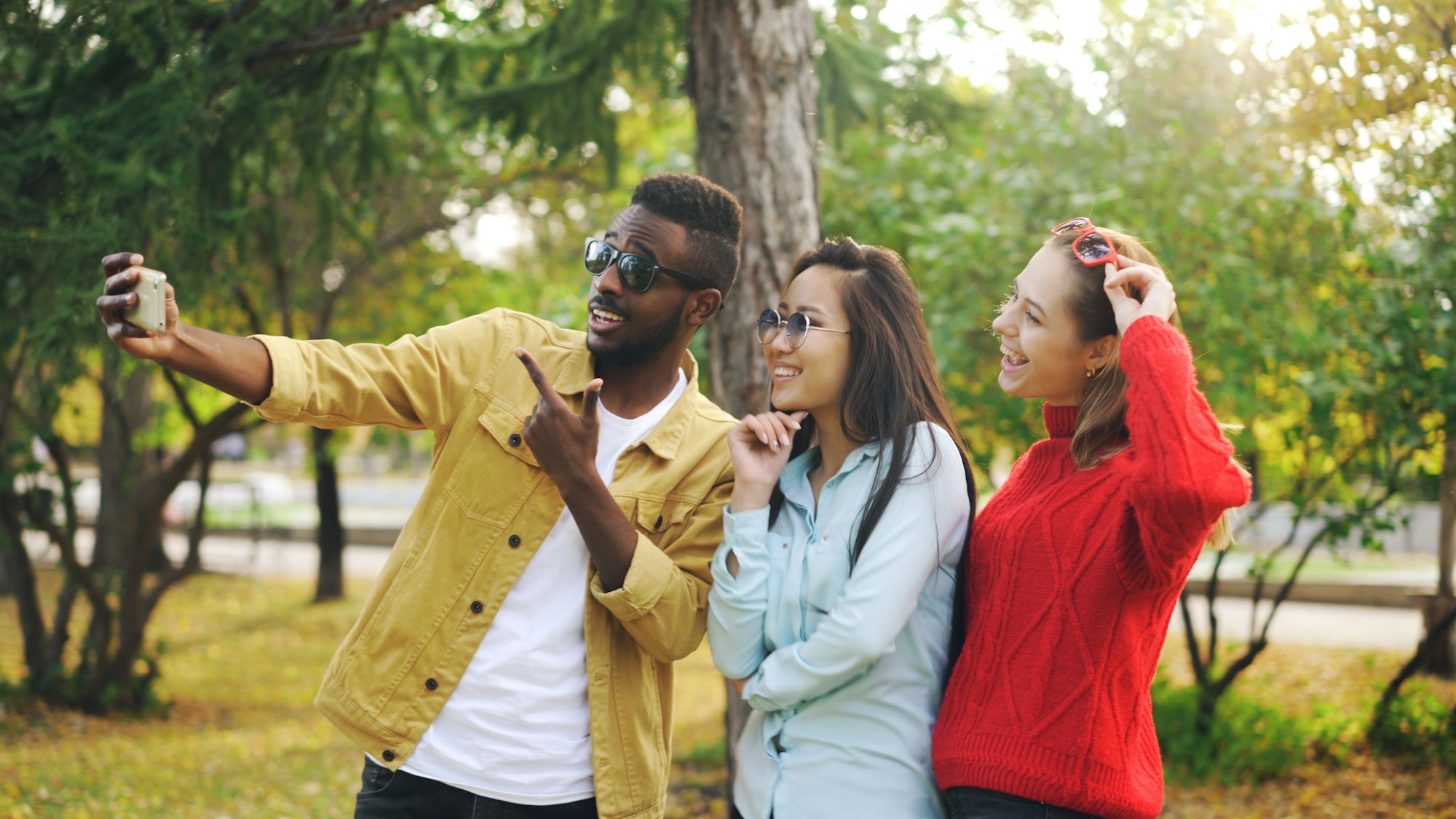
Why do scavenger hunt photo submissions break fair play?
They break fair play because many apps award credit for the act of uploading, not for meeting the task brief.
Picture a corporate hunt with gift cards on the line. Mission: “Photo of your whole team at the city landmark.” One squad uploads a blurry selfie in a parking lot. The leaderboard jumps. Honest teams notice. You spend the rest of the event hunting through feeds, deducting points, and explaining why the “winner” is not really winning.
That is not mainly a player problem. It is a product design problem. If the system has no gate between “submitted something” and “earned the points,” competitive integrity depends on constant manual cleanup.
How do most scavenger hunt apps handle photo submissions?
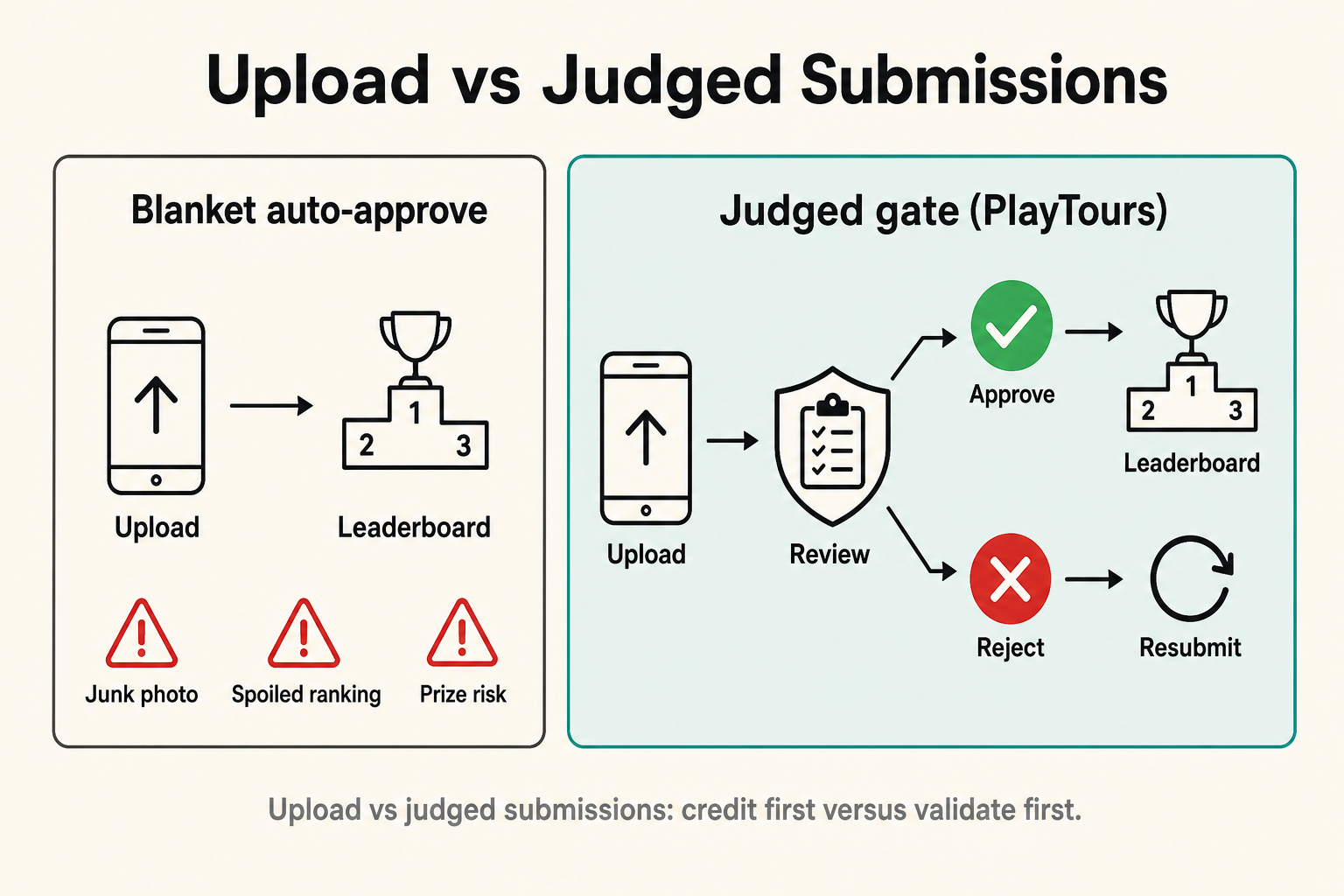
Most popular scavenger hunt apps still default to a simple rule: media attached equals task done.
The leaderboard often moves immediately. Other players may see the submission in a feed or gallery. If something is wrong, off-topic, or low effort, the organizer’s job becomes detective work after the fact: find the entry, adjust scores, maybe delete media, and hope teams still trust the result.
That cleanup loop shows up across well-known tools. GooseChase expects organizers to monitor submissions and use score adjustments or bonus points when something is incomplete or off-brief (GooseChase bonus-points guidance). Loquiz treats a photo task as correct once a photo is taken, and later lets organizers add positive or negative bonus points from the results Photowall (Loquiz photo task docs, results / Photowall). Actionbound’s mission flow for picture and video answers does not check whether the result matches the brief before the creative submission is treated as complete (Actionbound mission help).
Later point edits can save an event. They are still a mop, not a gate.
What goes wrong when photo tasks auto-approve?
Auto-approve fails hardest when the hunt is competitive, public, or prize-backed.
Prize and brand risk
If gifts, vouchers, or a client showcase sit on the final ranking, one junk upload can create an awkward winner announcement. Fixing it mid-event feels political. Leaving it alone feels unfair.
Spoiled leaderboards
Honest teams disengage when they see garbage jump ahead. Momentum dies. You stop hosting and start moderating.
Cheating and low-effort uploads
Gallery photos, old screenshots, unrelated memes, or “close enough” selfies become rational strategies when any media pays full points. Live-capture settings help a little. They do not prove the content matches the mission.
Hard to award proper or partial points
Creative tasks need nuance: excellent effort deserves more than a half-hearted snap. Clawing points back later is clumsy, public, and hard to explain consistently across teams.
No clean second chance after a bad submit
Players sometimes submit the wrong album photo, a blurred take, or an incomplete frame without meaning to cheat. If points already landed, “please try again” is not a built-in loop. You are stuck choosing between awkward deductions and letting a bad answer stand.
Facilitator overload mid-event
Instead of energizing the room, you live in the activity feed. Every minute spent fixing scores is a minute not spent hosting.
GooseChase, Actionbound, and Loquiz: the same photo-submission gap
The details differ. The core gap is shared: quality control is not a first-class step before credit.
GooseChase. Photo and video missions complete on submission. Organizers review the feed or submissions list and adjust scores afterward. That can restore fairness, but bad media may already have moved the board.

Actionbound. Picture and video missions collect creative media without a quality check that the result matches the brief. There is no clean approve/reject flow that holds credit until a facilitator signs off.
Loquiz. A photo task is considered correct when a photo is done. Organizers can later add positive or negative bonus points on Photowall media. Credit first, correction later.
For prize events, ask one blunt question: can points stay off the board until the submission is validated?
What should organizers look for in photo and video tasks?
Look for a validation gate, not only a pretty gallery.
Use this checklist when you evaluate any scavenger hunt app photo submissions flow:
- Points only after validation for tasks that matter
- Reject without completing the task, so junk does not lock in a win
- Clear feedback to the player (comment or explanation)
- Resubmit allowed after a reject or failed check
- Optional custom / partial scoring for creative quality
- AI option when no facilitator can watch every upload
- Auto-approve still available when you want speed and atmosphere over verification
If a platform only offers “upload = done” plus later score surgery, it can still run fun social hunts. It is a weak fit for serious competitive scoring.
How does PlayTours judge photo and video submissions?
PlayTours separates “any upload counts” from “this upload must earn its points.”
You can still use plain image or video tasks when every snap should count instantly. For competitive or proof-heavy missions, use judged task types instead:
- Judged Image / Judged Video: the player submits media, the task stays pending, and a facilitator approves or rejects it from the Judgements area. On approve, you can keep the default points or set a custom score, and optionally leave a comment. On reject, the task stays incomplete so the team can try again.
- Judged Image AI / Judged Video AI: you write the expected content in plain language. The AI checks the submission against that description, returns a pass/fail style result with an explanation, and lets players retry when they miss the brief.
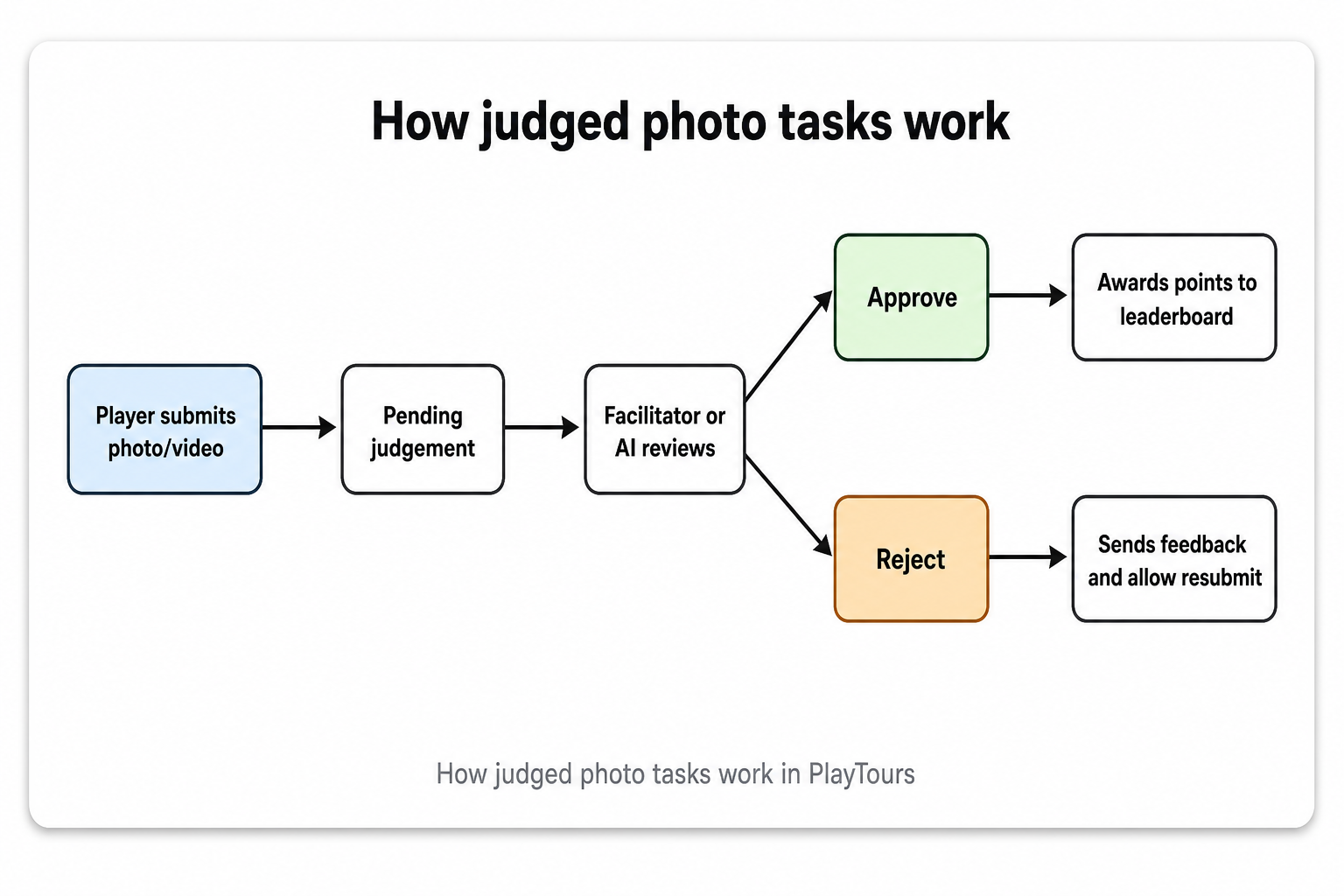
The important mechanic is simple: on judged tasks, the leaderboard should not move until the submission is valid. Players can keep playing other tasks while a human review is pending. If you ever want the old blanket behavior on purpose, session settings can auto-approve judged tasks - useful as an escape hatch, not as your default for prize rounds.
For a practical setup walkthrough, see How to build a photo scavenger hunt with PlayTours. For the AI path specifically, see Enhanced Judged Image AI.
How judged tasks unlock more complex, engaging scavenger hunts
Judging does not only stop cheaters. It lets you design the hunt you actually wanted.
When any upload wins, organizers naturally keep tasks shallow: “selfie,” “something red,” “funny face.” Raise the bar and you invite exploitation. With a gate in place, you can ask for real effort because bad answers do not automatically steal the board.
That unlocks stronger game design:
- Subjective creative challenges become fair. Recreate a mural pose or film a product skit, then score 5/10 vs 10/10 instead of paying full points for the first upload.
- Proof-of-performance tasks work. “Whole team in frame” or “landmark plus your faces” can be rejected when incomplete, then retried.
- Rubric-style missions become practical. Comments or AI criteria can require multiple details (“must show X and Y,” “no screenshots”) without an honor system.
- Players iterate without drama. Reject + feedback turns a mistake into gameplay instead of a public point fight.
- Large or unattended events can still raise difficulty. AI judged tasks keep criteria in play when you cannot staff a full-time moderator.
Mix modes on purpose: auto-approve for icebreakers, judged tasks for the missions that decide pride or prizes.
Real scenarios: prizes, tourism proof, bad luck, and scale
A. Landmark proof (tourism)
Without a gate: a team uploads a phone wallpaper of the tower and still scores.
With PlayTours AI judging: the brief requires a clear street-level photo of the landmark. The AI fails the wallpaper, explains why, and the team reshoots on site.
B. Creative team challenge with prizes (corporate)
Without a gate: a low-effort selfie takes first place until you publicly deduct points.
With human judged video: submissions stay pending. You award 10/10 for a sharp skit and 5/10 for a half-hearted take, or reject “need the whole team in frame.”
C. Accidental wrong submit
Without a gate: points already landed; fixing it means awkward score edits.
With judged tasks: reject, leave a short comment, and let the player resubmit the correct media. Fair score, less argument.
D. Unattended / high-volume routes
Without a gate: you cannot police quality across dozens of teams or cities in real time.
With AI judged tasks: clear visual criteria run at scale while you host, not while you babysit every upload.
AI is not perfect, so keep human judging for highly subjective or sensitive prize calls. Use AI when the success criteria are visual and specific.
When is auto-approve still the right choice?
Auto-approve is still right when verification would hurt the vibe more than it helps the score.
Use plain image or video tasks for icebreakers, “funniest selfie,” warm-up missions, or non-competitive school and community play where the gallery matters more than forensic fairness. Speed and laughter win there. Save judged modes for the tasks that decide rankings, prizes, brand proof, or client deliverables.
Which PlayTours photo mode should you use?
Pick the mode from the job the task has to do.
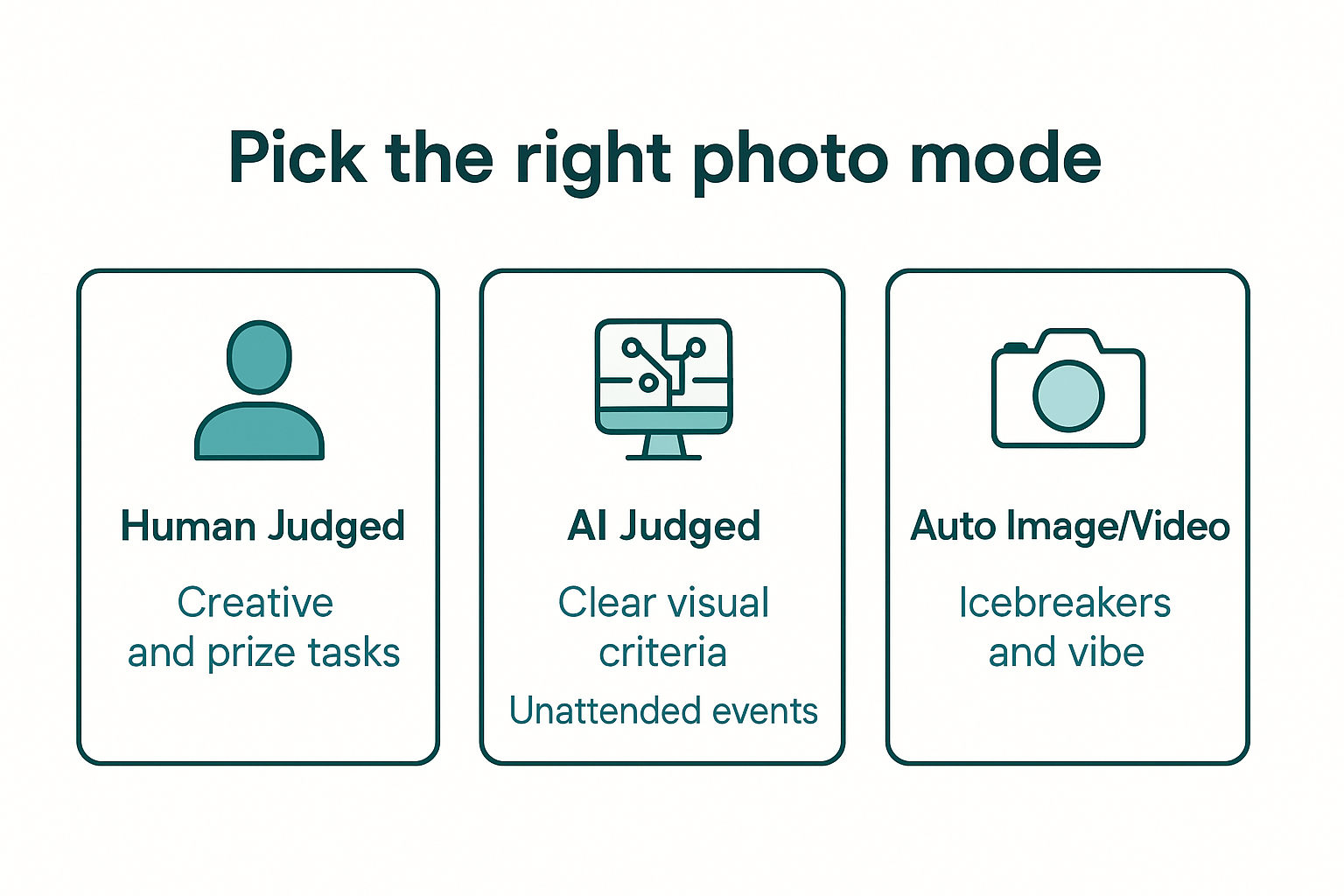
| If your task is… | Use |
|---|---|
| Subjective, creative, or prize-critical | Judged Image / Judged Video (human) |
| Clear visual criteria, no facilitator on duty | Judged Image AI / Judged Video AI |
| Pure vibe, pace, or gallery content | Auto Image / Video |
A strong hunt often uses all three. Put complexity where integrity matters. Keep pace where energy matters.
Before you commit to any app for a scored event, ask yourself:
- Can points stay pending until a submission is validated?
- Can players resubmit after a reject with clear feedback?
- Can I run tougher creative tasks without inviting junk-upload wins?
If the answer is no, you are buying a cleanup job with your game.
FAQ: scavenger hunt photo submissions
Can GooseChase reject a photo submission before points are awarded?
Not as a native approve/reject gate. Photo or video missions typically complete on submit, and organizers later adjust scores when something is off-brief. That can correct the board, but it is cleanup after credit.
Do Actionbound and Loquiz validate photo quality before scoring?
Not in the way prize events need. Actionbound missions do not check whether media matches the brief before the creative submission is treated as complete. Loquiz treats a photo task as correct once a photo is taken, with later Photowall bonus adjustments for review.
What is a judged image task in a scavenger hunt app?
A judged image task holds credit until validation. In PlayTours, the player submits a photo, the facilitator approves or rejects it, and points land only after approval. Rejected tasks stay open for resubmit with feedback.
How does AI photo judging work in PlayTours?
You write a plain-language description of what the media should show. PlayTours checks the submission against that description and returns a pass or fail style result with an explanation. Failed attempts can be retried. Strong for clear visual criteria, not perfect on every creative brief.
Should every photo task require approval?
No. Auto-approve is fine for warmups and non-competitive fun. Use human or AI judging when rankings, prizes, brand proof, or client outcomes depend on the submission being on-brief.
What happens if a player submits the wrong photo by mistake?
On auto-complete platforms, you usually fix it with manual score edits. On PlayTours judged tasks, reject, comment, and let the player resubmit without turning the mistake into a leaderboard incident.
If your next event has prizes, public rankings, or a client watching the winner slide, do not leave photo credit on the honor system. Judge the missions that matter, keep auto-approve for fluff, and build the more engaging tasks your teams actually remember.
Ready to set this up? Start with How to build a photo scavenger hunt with PlayTours, or explore the facilitator dashboard and Judgements workflow.