Updated October 9, 2026

Team building activities for work that people actually enjoy

Team building activities for work are short, facilitated sessions that help a group work together by clarifying roles, making it safer to speak, and giving people a shared task they can finish.

These 25 are grouped the way you will actually plan: a meeting, the office, an offsite, a remote call, and a large group with one organizer. Each one says what it takes to run, when to leave it, and what to do on Monday.

Why the afternoon fails

You have a date, a group, and a limited block of time. An activity helps when people do not know each other, a long project has gone flat, or a large group needs one shared thing to do. If the goal is unclear, or the last event changed nothing back at work, fix that before you book another afternoon. Tinuke Fapohunda’s 2013 review of workplace teams says an event with no meaningful practice afterward can make people cynical and can reduce trust.

What tends to work is narrower than a catalog of outings. Klein, DiazGranados, Salas, and colleagues (2009) describe team building as goal setting, interpersonal relations, role clarification, and problem solving. Across the studies they reviewed, team building had a positive relationship with team outcomes, and goal setting and role clarification were among the stronger components. Google’s Project Aristotle studied 180 teams and found that how the team worked together mattered more than who was on it. Psychological safety was the strongest of five dynamics. Amy Edmondson defined that in 1999 as a shared belief that the team is safe for interpersonal risk-taking: asking a question, admitting a mistake, or offering an idea.

A nine-year graduate retreat program at Ponce Health Sciences University rated its in-person retreats 4.80 out of 5. The lowest year was the one packed with guest talks, which left less time for the games and the informal contact people valued, and participants reported losing focus into the evening. The list below is built from that pattern. The activity is the vehicle. The Monday follow-through is the point. Setup is marked Low, Medium, or High so you can see the friction, including an app install, a per-person fee, or a venue, before you commit the room.

Five-minute openers and short meetings

Use these when you already have the people in a room or on a call, and you have a meeting to start. They cost nothing to set up, which is why people will actually do them again.

1. One question, then the agenda

10 minutes · up to 12 people · Setup: Low

What it takes. The meeting you already have. No props, no app, and no travel.

How to run it. The day before, pick one question a colleague can answer in a sentence. A tool they relied on this month, a part of the office they like, or one thing they want from this meeting all work. Give the room a minute of quiet, go around, and answer yourself in one sentence. Then start the agenda, and mention one of their answers when you assign the work.

Leave this when the group is in an open fight, or when the only questions you can think of ask about fear, health, family, or rank.

On Monday. Use one answer when you hand out the week’s work, so the round had a point.

2. Pair interviews

25 minutes · any even number · Setup: Low

What it takes. Three questions on a slide or a half-sheet. Pairs need to hear each other, so a loud hall is the wrong room.

How to run it. Give them three prompts: a piece of work they are glad they finished this year, what they need from other people when a deadline is close, and a non-work topic they can talk about for five minutes. Each person has about eight minutes. Then each pair tells the room one thing that should change how work is handed over, in a single sentence.

Leave this when a manager is fishing for personal history. Interests and work habits are enough. People in the RISE graduate retreats valued time with colleagues they already saw and did not really know. They were not asking to be interviewed about their private lives.

On Monday. Write down the handoff preference you heard, and follow it on the next deadline.

3. The object on the desk

15 minutes · up to 16 people · Setup: Low

What it takes. People at their own desks, or a photo of the desk if they are remote. Nothing to buy.

How to run it. Ask each person to hold up one object they actually use and say, in two sentences, what it is for in their job. You go first, with something ordinary. The point is a concrete detail. A motivational object you staged for the exercise will fall flat.

Leave this when the group does not have a desk, a tool, or a screen they recognize as theirs.

On Monday. When you introduce two people who will work together, mention the object. It is an easier opener than a hobby.

4. Purpose on the wall

15 minutes · the people already in the meeting · Setup: Low

What it takes. A whiteboard or a shared doc. This belongs at the start of a meeting that has drifted into status updates.

How to run it. Before any update, write the decision this meeting has to leave with. Ask if anyone is in the wrong meeting. Cross off updates that can be a message instead. Then spend the time on the decision.

Leave this when the meeting already has a single decision and people are ready to make it. You will only slow them down.

On Monday. Send the decision in the same words that were on the wall.

5. Two-minute teach

20 minutes · up to 10 people · Setup: Low

What it takes. Each person needs one real shortcut from their own work. No slides.

How to run it. Each person has two minutes to show one shortcut, template, or check they use. The next person starts when the time is up, even if the demo is unfinished. Collect the shortcuts in one note everyone can open.

Leave this when it turns into a tour of someone’s entire system. Two minutes is the whole point.

On Monday. Put the note where the team already looks, and use one shortcut yourself that week.

In the office

No travel. These are for a team that can sit together for half an hour to an hour. The useful ones clarify a role or a decision. A hunt belongs here when you want people moving and talking, and you have walked the route.

6. Who owns this decision

40 minutes · 4 to 8 people · Setup: Low

What it takes. Sticky notes or a shared doc, and a project that has started or is about to. Klein and colleagues found role clarification among the stronger parts of team building. Graduate teams at Keio, in an equal-status class rather than a company hierarchy, also described sharing roles more than any other step they took on purpose.

How to run it. Write the project outcome in one sentence. Each person writes the decisions they believe they own, the decisions they believe someone else owns, and one skill they want the group to use. Read them. Where two people claim the same decision, pick one owner before you leave. Where nobody claims it, assign it or drop it.

Leave this when you already have an owner list and the problem is that nobody follows it. Another hour of cards will not repair that.

On Monday. Send the owner list the same day. The first time someone asks who is doing it, point at the list.

7. The stuck decision

50 minutes · the people in the disagreement · Setup: Medium

What it takes. A private room and a decision that is actually stuck. This is a working session, so the rest of the department should not be an audience.

How to run it. State the decision in one sentence, with no names attached. Each person writes their preferred option and the risk they are trying to avoid. Read them with no rebuttal. Then pick an option, a review date, and what would make you reopen it.

Leave this when the issue is harassment, a performance problem with one person, or a gap in power so wide that junior people are being asked to perform honesty for a boss. Those need a manager and a private conversation.

On Monday. The review date goes on the calendar before people leave the room.

8. Desk-to-desk photo hunt

60 minutes · 15 to 100 people · Setup: Medium

What it takes. Tasks you have walked, a QR or a link, and phones with a browser. On PlayTours there is no store install. Teams of about four share a phone or play on their own. Setup gets high if you ask them to download an app, or if the clues only make sense to you.

How to run it. Name a few spots in the office. Each stop is a photo, a short answer, or a code. Shuffle the order if several teams will start together, so they are not all at the first desk. You approve photos from the facilitator dashboard and end the game before the next meeting. More office stops are in our office scavenger hunt ideas.

Leave this when the office cannot have people walking, or when the real need is the stuck decision above.

On Monday. Mention one photo in the next staff meeting only if it connects to how you want people to work together.

9. Four stations

75 minutes · 12 to 40 people · Setup: Medium

What it takes. Four tables, someone who keeps time, and a task at each table that can be finished in 12 minutes. Paper is enough. A scoreboard is optional.

How to run it. Stations that work are a shared estimate, a customer letter rewritten by the group, a process step drawn on paper, and a list of questions the team wishes a customer would ask. People rotate. After the last rotation, each station reports one change they would make to the real work. You pick one.

Leave this when you have not tried the task yourself. A station that needs you to explain it for five minutes will blow the rotation.

On Monday. The one change gets an owner and a date.

10. Ground rules the team writes

30 minutes · up to 12 people · Setup: Low

What it takes. A doc the team can edit. Bring a blank page. A poster you wrote last year is a different exercise. UC Berkeley’s team-building toolkit puts ground rules in the forming stage, when people are still learning how this group will work.

How to run it. Ask what they need from each other in meetings, in messages, and when someone disagrees. Collect rules they are willing to keep. Aim for about five. Read them back. Drop any rule nobody will actually follow.

Leave this when leadership wants the list to match a values poster. The team can feel that immediately.

On Monday. Open the next meeting by pointing at one rule, then follow it yourself.

Offsite and outdoors

These need a place, a clock, and a plan for anyone who will not or cannot do the physical part. Say that role before you leave the building.

11. Walk with a handoff

40 minutes · pairs · Setup: Medium

What it takes. A route you have walked, 20 to 30 minutes, and a place to talk at the end. Weather and mobility matter. Offer the same questions seated, for anyone who will not do the walk.

How to run it. Pairs walk. The prompt is a real handoff: what the other person needs to know before they pick up your work. At the end, each pair writes one sentence the team should change. You collect the sentences in the room.

Leave this when the only point is steps. A walk with no work question is a break, and you can call it a break.

On Monday. Change one handoff the way a pair described.

12. Neighborhood photo missions

90 minutes · 20 to 80 people · Setup: Medium

What it takes. A neighborhood you have checked, teams of four to six, and a hard stop. PlayTours can hold the photo tasks, the questions, and the locations in the browser. Tell people the turn-back time before they leave.

How to run it. Plan five to eight stops. Each one is a photo the whole team is in, plus a question they can answer by looking. Shuffle the middle stops if more than a few teams are out. You watch the map and the photos from a laptop at the finish.

Leave this when you have not walked it, or when heat, rain, or a road makes the route a bad idea that day.

On Monday. The follow-through is whatever you agreed at the finish, written in one sentence. The photos can sit in the gallery.

13. Relay with a non-running role

45 minutes · 12 to 40 people · Setup: Medium

What it takes. A flat space, a task that can be done standing still, and roles you assign so running is optional. Navigator, recorder, and mover is enough.

How to run it. The recorder cannot finish without the navigator’s instruction, and the mover cannot finish without the recorder. Score the team. In the debrief, ask who got left with the hard role, and whether that happens at work too.

Leave this when the only way to join is to run, climb, or be lifted. Publish the seated role before you start, so nobody has to ask.

On Monday. Look at who is always the mover on real projects, and rotate one task that week.

14. Escape room

60 minutes · 6 to 10 people per room · Setup: High

What it takes. A booking, travel, a per-person fee, and a room that can take your whole group, or several rooms at once. People who cannot do the physical puzzles need a role the venue actually supports. Ask before you pay.

How to run it. Book this when the team already trusts each other and wants a hard puzzle. Tell them the time box. The venue runs the room. You run the ten minutes after: what you assumed, who you listened to, and one meeting habit you will change. If the slot ends at the door, you have bought an outing.

Leave this for a brand-new team, a team in conflict, or a group that needs a cheaper hour inside the office. The decision cards will do more for them.

On Monday. One meeting habit from the debrief, named and owned.

15. Venue hunt you walked yesterday

90 minutes · 40 to 200 people · Setup: Medium

What it takes. A site visit the day before, a QR or a link, and a finish line with shade, seats, and a clock. Tasks a stranger could complete without calling you.

How to run it. Walk the venue and cut any stop that depends on a door being unlocked. Teams of four to six. Photo, quiz, and location tasks in the browser. End the game from the dashboard before the next session, and say the end time out loud at the start.

Leave this when you are arriving with the group and seeing the venue for the first time.

On Monday. Note which stop failed because of the building, and delete it before anyone reuses the game.

Remote and hybrid

Keep these shorter than a day in a room. The same graduate program that loved its beach retreats still ran two virtual years during COVID. People rated them well, and they still asked to be in person next time. Give the call something to do, and plan a room for later if you can.

16. One sentence from a breakout

30 minutes · rooms of 4 · Setup: Low

What it takes. A video call and breakout rooms. Cameras can stay off. The work is the sentence.

How to run it. Give each room one prompt tied to real work, and twelve minutes to agree on a single sentence. Back in the main room, read the sentences. You pick one to act on, or you say honestly that you need a day to choose. Pretending all of them will happen teaches people to ignore the next exercise.

Leave this when you already know the sentence and want the rooms to rubber-stamp it.

On Monday. The chosen sentence is in the team channel with an owner.

17. Show one artifact

25 minutes · up to 8 people · Setup: Low

What it takes. Each person opens one real document, ticket, or sketch from this week. No slides.

How to run it. Two minutes each. They share the screen, say what the artifact is, and say what they need from someone else. You keep a list of the needs. That list is the meeting.

Leave this when people will spend the day polishing a slide instead of showing the work. Tell them rough is the requirement.

On Monday. Pair two people whose needs match, and let the others go.

18. Browser hunt from home

45 minutes · remote teams, rooms of about 5 · Setup: Medium

What it takes. A game they can open in the browser from a link. No install. Tasks that require the group to talk: a photo they stage together on camera, a question split across two people, a constraint they have to negotiate. Luwjistik runs a remote session this way every month.

How to run it. Send the link in the calendar invite. Open a call beside the game if they still want to hear each other. You watch the dashboard, answer messages, and close it on time. A longer version is in the virtual team building scavenger hunt guide.

Leave this when the tasks can be finished by one person while everyone else is muted. That is a quiz, and you can send a quiz.

On Monday. Ask what they had to say out loud that a message would have skipped.

19. Write before anyone unmutes

15 minutes · any size · Setup: Low

What it takes. The meeting chat, or a shared doc. This is the remote version of the one-question round, for people who will not perform on camera.

How to run it. Post one question. Give two quiet minutes. People write. You read a few aloud, including your own, and you do not call on anyone who stayed quiet. Then start the work.

Leave this when you then rank the answers, or ask the quiet person to elaborate in front of everyone.

On Monday. Use one written answer in how you run the work, the same as the in-person round.

20. Split clue, room and call

45 minutes · a mixed room and call · Setup: Medium

What it takes. One game code for both sides, and tasks that stay unfinished until the room and the call have traded information. Headsets in the room help.

How to run it. Put people in the room and people on the call on the same team. One side holds the photo, the other holds the question. Randomize the middle so the physical group does not camp on one task. Leave live location off unless you truly need it.

Leave this when the call is an audience for the room. Give the remote half something the room cannot finish alone.

On Monday. Keep one task in the real project that still requires both sides to talk.

Large groups, 50 to 200

One organizer cannot facilitate a table exercise for two hundred people. A shared game in the browser is the practical answer for the part of the day that should be light and collective. It is the wrong tool for a conflict that belongs in a small room.

21. One facilitator, many teams

90 minutes · 50 to 200 people · Setup: Medium

What it takes. Teams of 4 to 6, one laptop, and a game in the browser. Players scan a QR on a slide or open a short link. Two people on one phone count as one device. Free covers 25 concurrent devices, every feature, with a watermark. A group this size needs a paid cap: $79 a month for 60 devices, $159 for 120, $265 for 200, and $395 for 300. The full list is on pricing.

How to run it. You judge photos, broadcast a change of plan, and stop the game from the dashboard. Volunteer facilitators can have a link for this event only. Save the Children, mixing a room with staff abroad, said the games created a lot of conversations. The product page is the team building scavenger hunt. For other tools in this size range, see scavenger hunt apps for large groups.

Leave this when the day is supposed to settle a conflict. Run the stuck-decision session with the people who own it, and use the hunt for the part of the day that is meant to be shared.

On Monday. Write down one conversation you overheard that should change a process, before you lose it.

22. Shuffle the middle

90 minutes · 80 to 200 people · Setup: Medium

What it takes. The same hunt as above, plus a venue where a crowd at one door is a problem.

How to run it. Keep the start and the finish fixed. Shuffle the stops in the middle so teams are not stacked on the first clue. Say this out loud, or people will think another team cheated.

Leave the shuffle off when the story only makes sense in one order. Cut stops instead of forcing a sequence through a crowd.

On Monday. If a stop jammed, delete it before the next group.

23. Same code, two places

60 minutes · hybrid, from a dozen people up · Setup: Medium

What it takes. One game, one code, and clues that force a conversation across the two places. This is the large-group version of the split clue.

How to run it. Brief both sides on what they hold. Watch for the room solving it alone. If they do, pause and move a piece to the call. Close together.

Leave this when the remote group is only there to watch a leaderboard.

On Monday. Ask the remote half, in the next week, whether they had a real part. If they did not, change the tasks before you run it again.

24. Tables, then one mission

Half a day · 50 to 200 people · Setup: Medium

What it takes. A start time and a hard stop. The RISE retreats scored lowest in the year they filled the day with talks, and participants lost focus into the evening. Two or three short inputs, then something the tables do together.

How to run it. Fifteen minutes at tables on a single work question. Then one shared mission, a hunt or a station rotation, for under 90 minutes. Then a close: each table names one practice for the next month and who will ask about it. Stop in time for people to get home. If you are offsite, a secluded room beats a hotel ballroom with another conference next door.

Leave this when the agenda is a lineup of guest speakers with an activity squeezed at the end. Cut a talk.

On Monday. The named person asks, in a normal meeting, whether the practice happened.

25. A photo and a Monday sentence

20 minutes · teams you already have · Setup: Low

What it takes. A text answer and a photo task at the end of a game you are already running. If you are not running a game, a card on the table does the same job.

How to run it. Each team submits one photo and one sentence: what we will do differently in the next month. You read a few before they leave. You keep the rest.

Leave this when you will not read them and will not follow up. Collecting sentences you ignore is how the afternoon becomes a thing people joke about.

On Monday. Pick three sentences, reply to those teams, and do the one you own.

How to run whichever one you picked

UC Berkeley’s team-building toolkit (Mendonca and Thorman, 2019) walks a facilitator through a sequence adapted from Brian Cole Miller’s Quick Team-Building Activities for Busy Managers. Prepare. Explain why you are doing it before you hand anything out. Check that people understand, including how a winner is judged if there is one. Run it. Debrief. Then point at the behavior back on the job: put the team’s work on the wall, mention it in the next meeting, and notice when someone uses it.

For anything longer than a meeting, send a short agenda a few days ahead, keep talks to two or three, and leave a block with nothing programmed. Stop in time for people to get home. If the last activity changed nothing at work, Fapohunda’s warning is the one to remember. Pick the Monday line from the activity you chose, and do that one thing.

Activity Time and people Setup
1. One question, then the agenda 10 minutes · up to 12 people Low
2. Pair interviews 25 minutes · any even number Low
3. The object on the desk 15 minutes · up to 16 people Low
4. Purpose on the wall 15 minutes · the people already in the meeting Low
5. Two-minute teach 20 minutes · up to 10 people Low
6. Who owns this decision 40 minutes · 4 to 8 people Low
7. The stuck decision 50 minutes · the people in the disagreement Medium
8. Desk-to-desk photo hunt 60 minutes · 15 to 100 people Medium
9. Four stations 75 minutes · 12 to 40 people Medium
10. Ground rules the team writes 30 minutes · up to 12 people Low
11. Walk with a handoff 40 minutes · pairs Medium
12. Neighborhood photo missions 90 minutes · 20 to 80 people Medium
13. Relay with a non-running role 45 minutes · 12 to 40 people Medium
14. Escape room 60 minutes · 6 to 10 people per room High
15. Venue hunt you walked yesterday 90 minutes · 40 to 200 people Medium
16. One sentence from a breakout 30 minutes · rooms of 4 Low
17. Show one artifact 25 minutes · up to 8 people Low
18. Browser hunt from home 45 minutes · remote teams, rooms of about 5 Medium
19. Write before anyone unmutes 15 minutes · any size Low
20. Split clue, room and call 45 minutes · a mixed room and call Medium
21. One facilitator, many teams 90 minutes · 50 to 200 people Medium
22. Shuffle the middle 90 minutes · 80 to 200 people Medium
23. Same code, two places 60 minutes · hybrid, from a dozen people up Medium
24. Tables, then one mission Half a day · 50 to 200 people Medium
25. A photo and a Monday sentence 20 minutes · teams you already have Low

When the hard part is getting people into the activity

Several of the hunts above stall in the first five minutes if people have to install an app, wait for IT to approve it, or if a per-person price means you only do this once a year as a show. PlayTours runs in the phone browser. Players scan a QR or open a short link. There is no store install and no player account. You watch scores, approve photos, and message teams from one laptop.

The free tier is 25 concurrent devices, every feature, with a watermark. Two people sharing a phone count as one device. Paid plans raise the cap, from $79 a month for 60 devices up to $395 for 300. A hunt is a shared task with a low barrier to joining. It does not, by itself, make a team psychologically safe. Use it when you are the only organizer and you need the group in the same activity. Use the decision cards or the stuck-decision session when the problem is ownership or a fight.

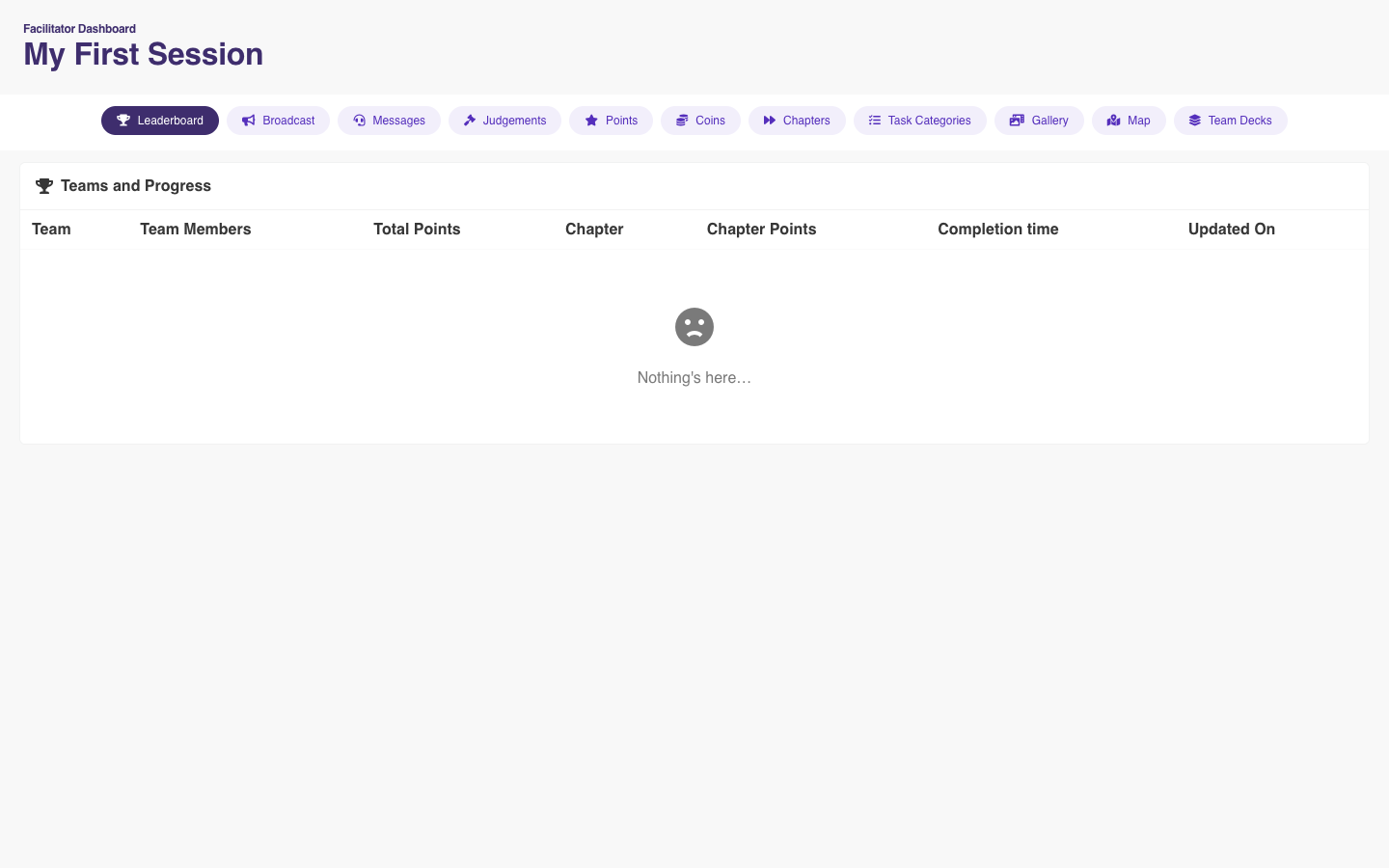
PlayTours facilitator dashboard open on the leaderboard, with broadcast, photo judgements, and a map
I am very impressed at how the games created lots of conversations. Save the Children

Team activities when a lot of the work is already drafted

Chen and Wang (2025) compared generative AI with physical ideation tools in two design-school workshops of about 15 people each. AI made it easier to produce a wide set of options. Using it to make an idea concrete raised the communication load, because the team had to write precise prompts and then choose among the results. Sketches, gestures, and half-finished remarks got squeezed. The authors say the sample is too small to generalize, and the setting is a classroom.

If your week is already full of tools that draft the words, pick an activity where people still have to show unfinished work and decide together. The one-question round, the decision cards, the artifact share, and a hunt that cannot be finished alone all do that. A chatbot that invents a statistic about collaboration will not.

Questions people ask before they book anything

Do I need an app for team building activities at work?

For the meeting rounds, the decision cards, the walk, and the ground rules, no. For the photo hunts and the large-group missions on this page, players open a link or scan a QR in the phone browser. PlayTours does not ask them to install an app from a store.

How much does team building software cost?

PlayTours is free for 25 concurrent devices, with every feature and a watermark. Paid plans keep every feature and raise how many phones can be in a game at once: $79 a month for 60, $159 for 120, $265 for 200, and $395 for 300. You pay for devices playing at the same time, not for every name on the guest list. An escape room or a hosted vendor is priced per person and is a different purchase.

How many people can play?

The meeting exercises on this page work best under about 12 people in one circle. Larger groups split into pairs or tables. A PlayTours hunt is built for about 50 to 200 people, in teams of 4 to 6, with one organizer on a laptop. Above the free 25-device cap, pick a paid plan that covers the phones in the game together.

Can I reuse the activity next quarter?

Yes. A question round or a decision-card session can be run again with a new question. A PlayTours game stays in your account. Open a new session, keep the missions, and give the next group a new code.

Is there a free tier?

Yes. 25 concurrent devices, every feature, a PlayTours watermark, and commercial use is allowed. No credit card is required.

What if people already dislike these afternoons?

Ask what the last one changed at work. If the answer is nothing, another event with no follow-through can make people cynical, which is the risk Tinuke Fapohunda describes in her 2013 review of workplace teams. Pick one small practice from this page, tell them why you are doing it, and name what you will do with it on Monday.

How do I include people who will not perform?

Have them write before anyone speaks, work in pairs before the whole room, and make the share optional. Skip elimination games and questions about fear, health, or family. Rotating who speaks, which the Keio graduate teams did when they shared roles, keeps one person from being the spokesperson every time.