
PlayTours Story Mode introduces a dynamic way to design interactive scavenger hunts and story-driven game experiences. Instead of forcing all players through the same sequence of chapters, Story Mode allows players to move through different story paths depending on their choices and answers.
This creates a more engaging and personalized experience where each player’s journey can be unique. Features like Story Mode are part of the powerful scavenger hunt features available in the PlayTours scavenger hunt app, helping creators design more immersive gameplay.
Why Use Story Mode?
Story Mode enables game creators to design branching narratives and varied gameplay experiences. This feature is especially useful for games that rely on storytelling, exploration, or adaptive difficulty.
Some common use cases include:
1. Multiple Story Paths
Different players can experience different storylines depending on the choices they make or the answers they submit.
2. Adjustable Difficulty Levels
Players can be directed to easier or more challenging chapters depending on their responses, creating a more balanced experience for different skill levels.
3. Personalized Gameplay
Every player's journey can evolve differently, making the game feel more interactive and immersive. This is especially useful for customizable game experiences and interactive adventures.
How to Enable Story Mode
Step 1: Enable Story Mode in the Game Builder
To start using Story Mode:
- Create a free scavenger hunt creator account on PlayTours Admin.
- Open your game in the PlayTours Game Builder.
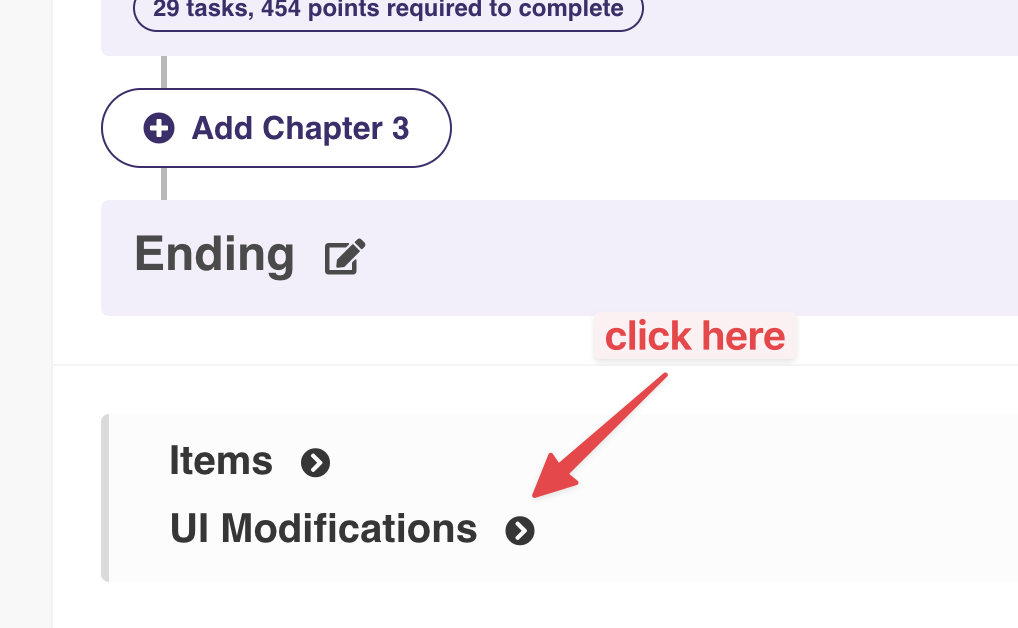
- Scroll down to the UI Modification section.
- Enable Story Mode.
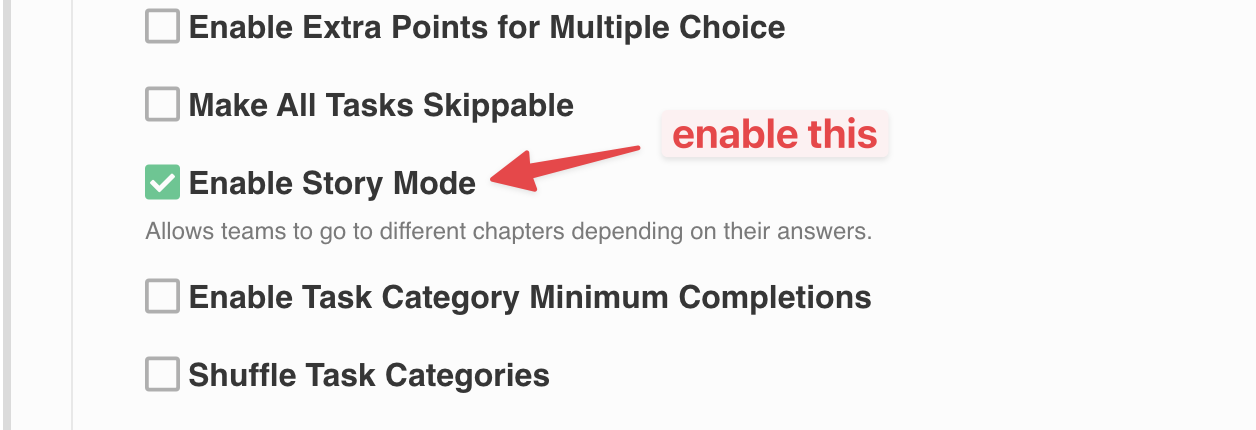
Once Story Mode is enabled, you can begin creating branching chapter paths.
Step 2: Create a Chapter and Add a Task
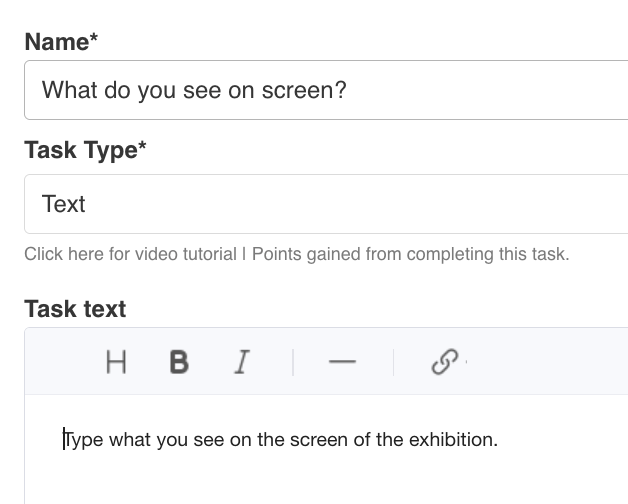
Next, create a chapter and add a task that will determine which chapter the player goes to next.
This task can be placed anywhere in the chapter:
- At the beginning
- In the middle
- At the end
Task Submission Types
To enable branching logic, the task should allow multiple possible answers, such as:
- Text input
- Number input
- Multiple choice
Other answer types that allow different responses
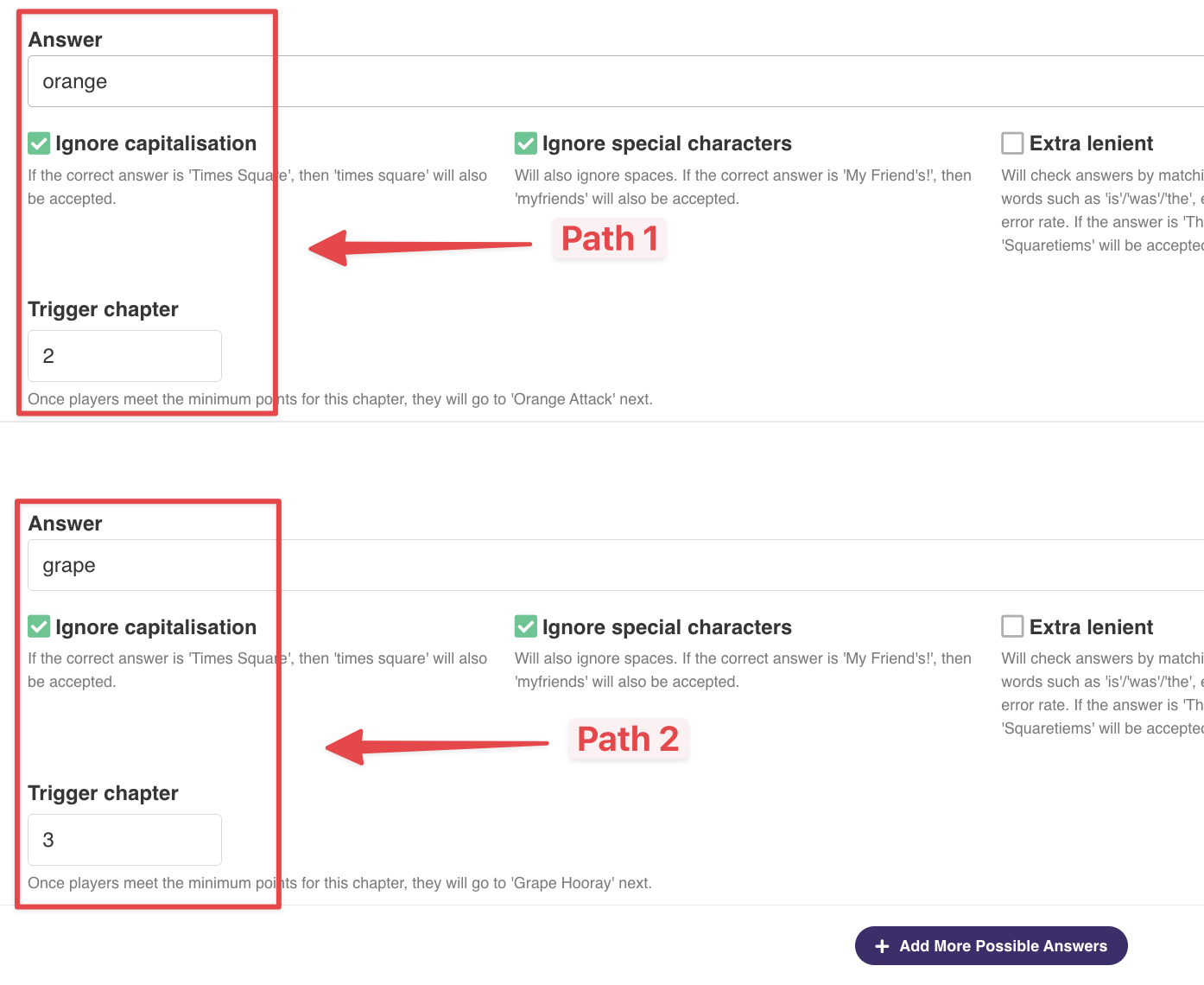
Enter the task description and configure multiple possible answers. Each answer can then trigger a different chapter.
How Chapter Triggering Works
When a player completes a chapter by earning enough points, their next chapter will depend on the configured task triggers.
For example:
- If the player submits Answer A, they may be directed to Chapter 2.
- If they submit Answer B, they may be directed to Chapter 3.
This allows the game to branch into different storylines.
Default Chapter Behavior
If no "Trigger Chapter" is specified for any task in the chapter, the system will automatically move the player to the next chapter in the order defined in the Game Builder.
This means you can mix both:
- Linear progression
- Branching story paths
within the same game.
Designing Better Story Experiences
With Story Mode, game creators can build more immersive adventures where player decisions matter. By carefully designing tasks and chapter triggers, you can create games that feel more interactive, replayable, and personalized.
Players won't just play the game, they'll shape the story.

Ready to create your own interactive story experience? Create a free account on PlayTours and start building your first game today.