
For the full Goosechase Studio and pricing reference (including where AI fits alongside missions, publish, and review), see the Goosechase complete guide.
TLDR: GooseChase offers AI as a small add-on feature, while PlayTours has built AI into the entire workflow. GooseChase's AI only helps brainstorm mission ideas; you still build the event structure, configure settings, and assemble everything manually. PlayTours lets you go from a blank page to a fully structured, ready-to-play event in under 30 minutes, with AI continuing to work during the event by automatically judging participant submissions. For organisers who care about speed and completeness, not just creative prompts, the difference is significant.
Introduction
"AI-powered" has become a common claim across event technology platforms. PlayTours markets AI as a core part of its workflow. GooseChase mentions it too, though more as a single feature within mission creation. For organisers comparing the two, it can be hard to tell from the surface what that difference actually means in practice.
This article walks through what each platform's AI does, step by step, so you can make an informed comparison.
Imagine You Have Two Hours to Build a Team Event From Scratch
You are an HR coordinator. Your company is onboarding 30 new hires next Monday, and your manager wants something that gets people from different departments talking to each other. You get the task at 3pm on a Thursday.
You open two browser tabs, GooseChase and PlayTours, and decide to try the AI feature on each to see how far it gets you.
The GooseChase Experience: Generating Missions Through Conversation
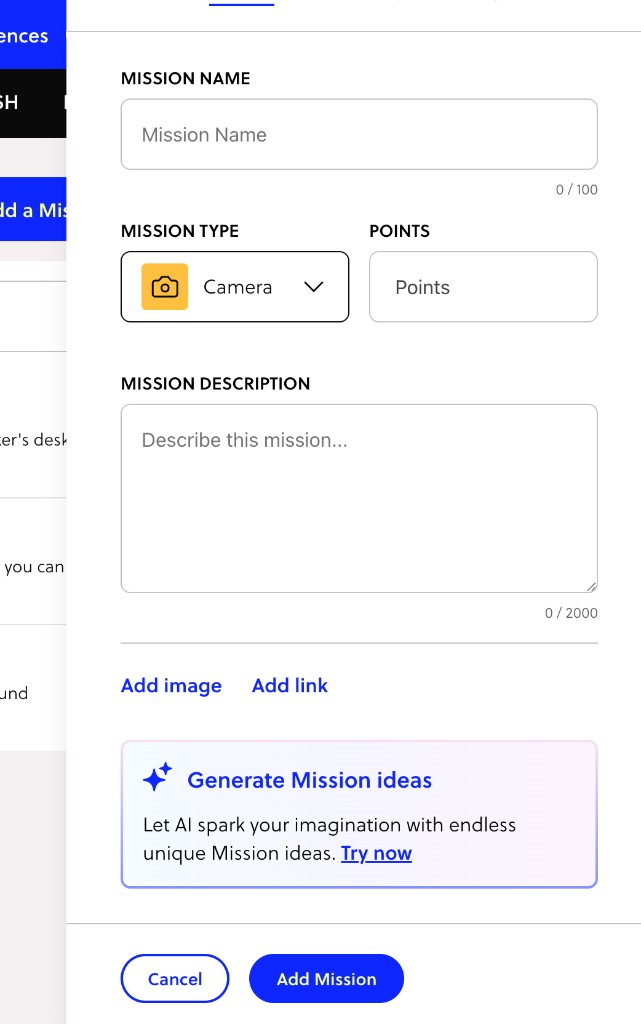
GooseChase's AI lives inside the mission creation flow. When adding a new mission, you will find a prompt at the bottom of the form that says "Generate Mission ideas." Clicking it opens a chat panel called the AI Mission Generator.
The experience is conversational. The AI asks who will be joining the hunt, then follows up with questions about location, theme, and tone as the chat progresses. It generates three mission cards mid-conversation while still asking for more detail, so you have something to react to quickly.
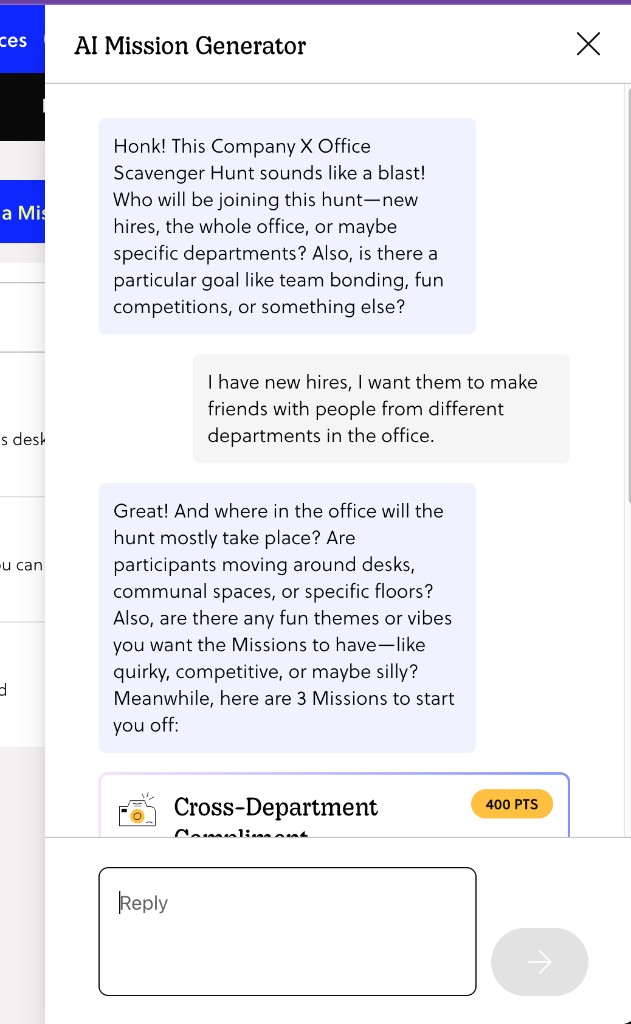
For a new hire bonding scenario, the AI suggested missions like "Cross-Department Compliment" (a selfie with someone from a different department, plus a compliment on video), "Snack Time Share" (a photo with a new friend from another team in the break area), and "Office Tour Guide" (a video where a coworker shows their favourite spot). When you mentioned a Harry Potter theme, it adapted with alternatives like "Wand Wave Selfie" and "House Points Shoutout."
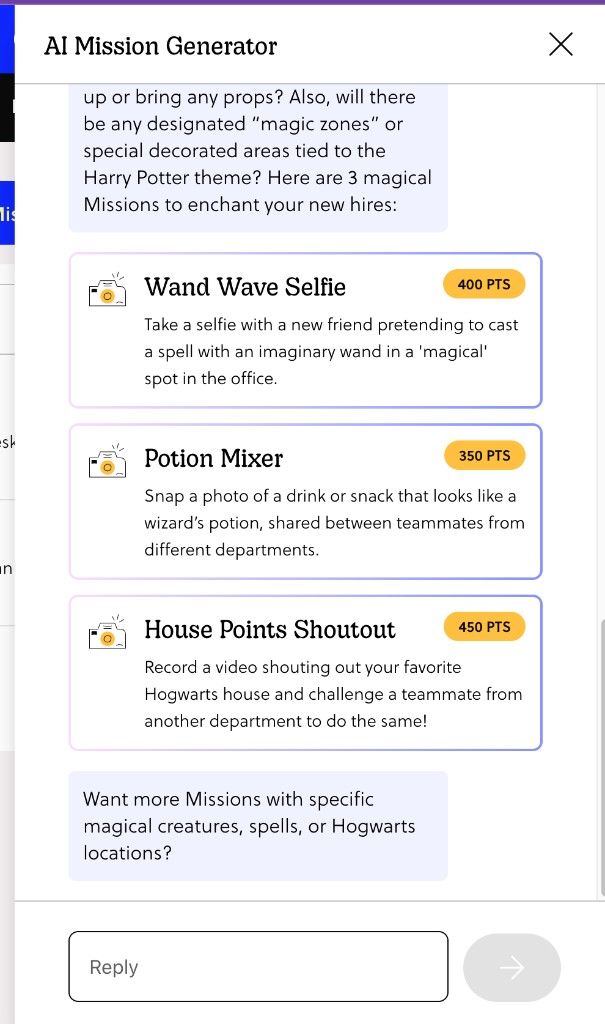
Each mission card shows the mission type, a point value, and a one-line description. Clicking a card auto-fills the mission form with the name, type, points, and description, a smooth handoff.
What you end up with is a collection of individual missions, each just a title and a text description, with no supporting images. You still need to build the experience around them: set up the event, configure settings, organise the missions, and decide on structure. The AI has helped you brainstorm, but the building work is still ahead of you, and sourcing visuals is entirely up to you.
The PlayTours Experience: From Intake to Playable Event
PlayTours' AI entry point is called QuickBuild, accessible from the main dashboard. It presents a split-panel interface: a chat and intake panel on the left, and a live draft preview on the right.
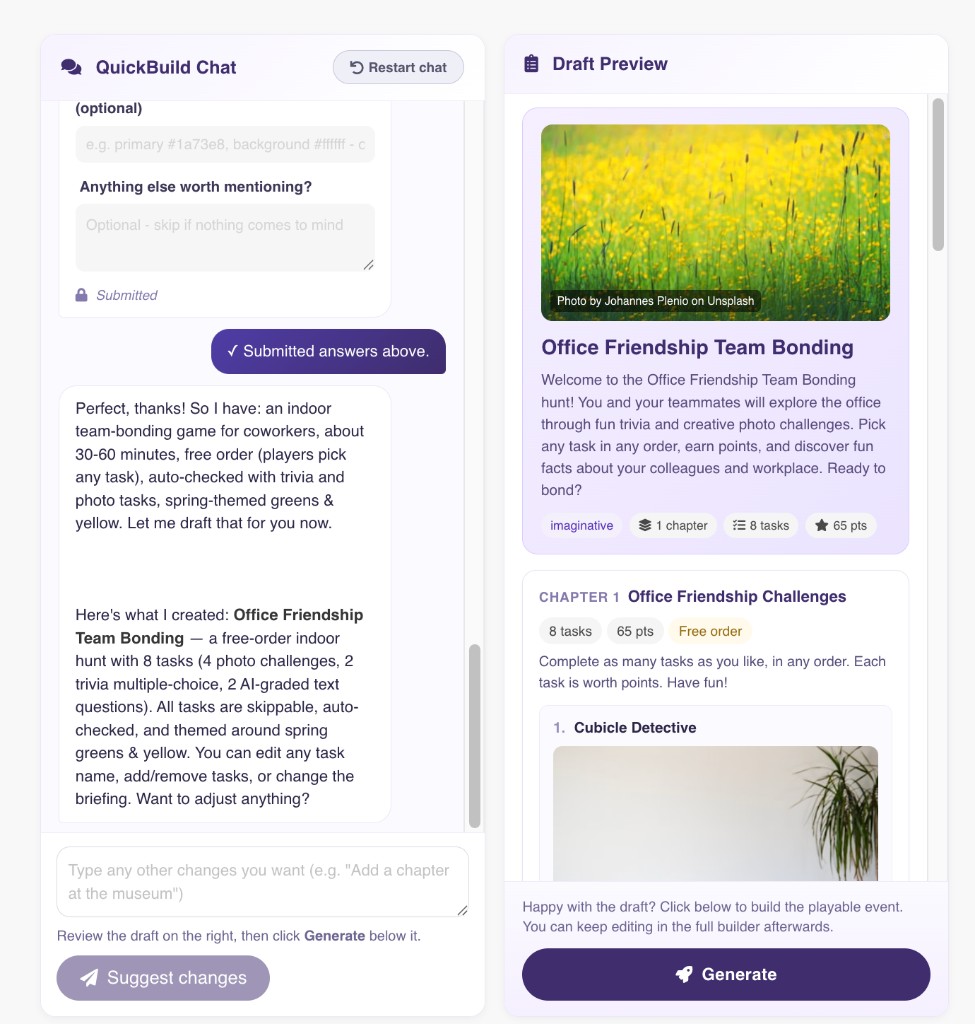
The intake uses a deliberate hybrid: quick-choice buttons handle the structured questions (who is playing, indoor or outdoor, how answers should be checked, what task types to include, what visual style the event should have), while a free-text field at the bottom lets you add anything the buttons miss. This is intentional. Rather than staring at a blank prompt, organisers can scan the options for a sense of the possibilities, click what applies, and type only what's unique to their situation. It lowers the barrier for first-time users while still giving experienced builders full flexibility to describe something more specific.
QuickBuild is not just asking what missions to generate. It asks about the shape of the entire event, including answer validation, colour theme, and task variety.
Once you click "Create Draft," the AI confirms what it understood ("a free-order indoor team-bonding game for coworkers, about 30 to 60 minutes, auto-checked with trivia and photo tasks, spring-themed greens and yellow") and generates a complete structured event. The right panel shows not a list of mission ideas but a titled event with a hero image, welcome description, a chapter, and eight ready-to-play tasks mixing photo challenges, multiple-choice trivia, and AI-graded text questions, all with point values and supporting images already assigned.
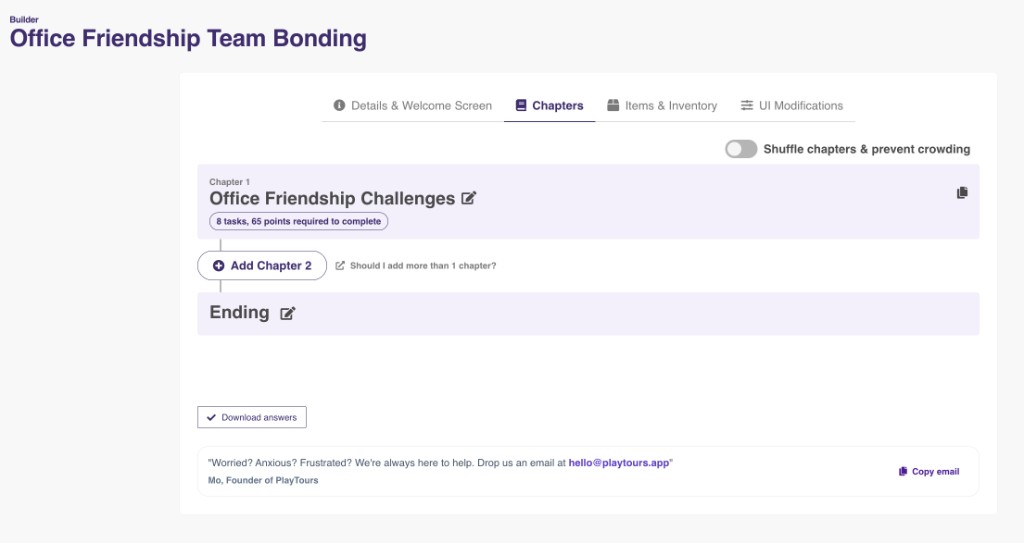
Those images are not placeholders. PlayTours uses each task's content to automatically search Unsplash and Openverse for relevant, free-to-use, properly licensed photographs. The search queries are AI-generated from the task name and description, so images are pulled to fit the content rather than picked from a generic library. This removes a step that would otherwise require organisers to manually source and upload visuals for every task.
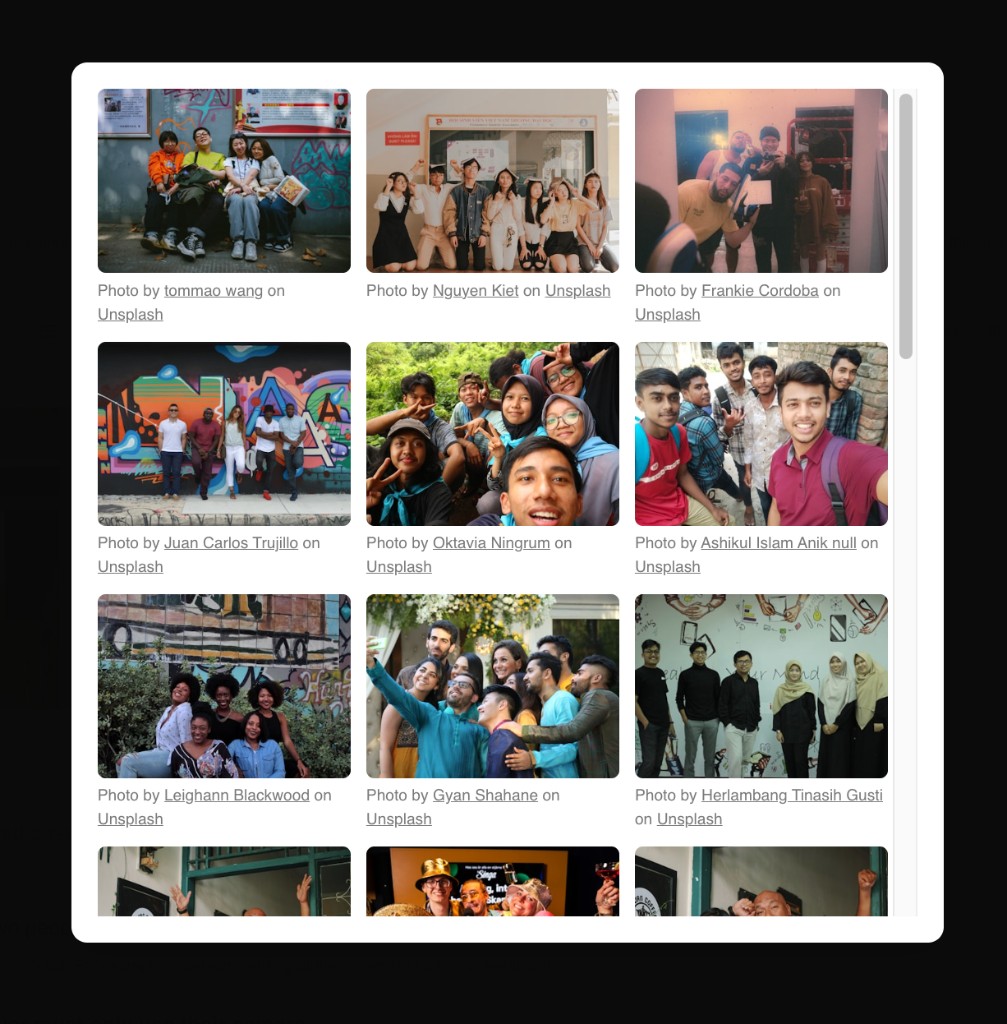
The entire event is playable. From opening QuickBuild to having a live game ready, the process comfortably fits within 30 minutes.
Breaking Down the Gap: Idea Generator vs Event Builder
The difference between the two AI approaches comes down to what the output actually is.
GooseChase AI produces mission ideas. You review them, pick what you like, and they slot into your mission list as text-only entries. It is a brainstorming tool with a polished interface, and the conversational format feels natural, with mission cards appearing mid-conversation giving you something tangible to react to quickly.
PlayTours AI produces a complete event, including structure, naming, welcome copy, imagery, task mix, point values, and ordering logic, all sourced and configured automatically. The time saved is significant, particularly for a first-time user or someone under time pressure.
On conversational ease, PlayTours' hybrid intake has an advantage that's easy to overlook. GooseChase's pure chat format requires you to know what to say from the start. PlayTours' quick-choice buttons give you a framework to react to, lowering the cognitive load at the outset and requiring fewer exchanges before the AI has enough to work with.
The Deeper AI Layer: How PlayTours Uses AI During the Event Itself
This is where the comparison shifts from close to clear.
GooseChase's AI, as visible in its current feature set, is limited to the creation phase. Once your experience is live, AI plays no role in how submissions are evaluated; reviewing responses is a manual task.
PlayTours has two task types that bring AI into gameplay itself. "Text AI" lets you write a custom validation prompt that AI uses to evaluate a participant's text answer. "Judged Image AI" lets you write an image description, and AI checks whether submitted photos match it. A task requiring a group selfie in front of an office notice board could have a description like "the photo must show at least two people standing in front of an office notice board or common area wall, all smiling," with the AI handling the judging in real time.
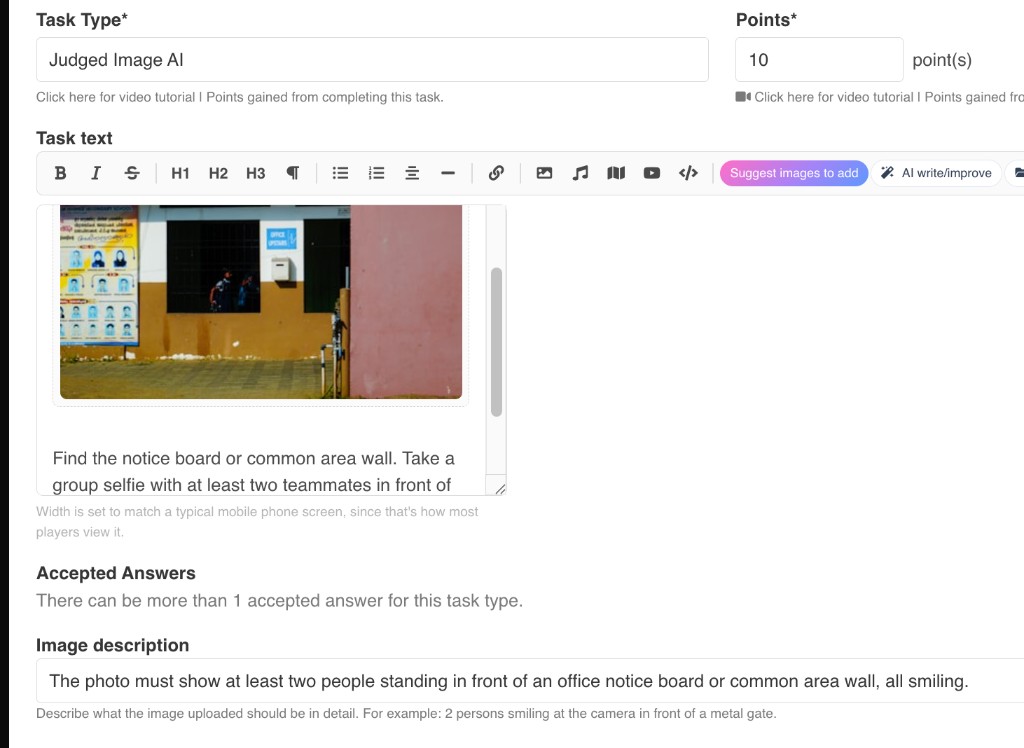
This matters because manual review of submissions is one of the most time-consuming parts of running a live event. AI-assisted judging reduces that load substantially, especially for larger groups, freeing the organiser to be present with participants rather than watching a submission queue.
Final Thoughts
GooseChase has a well-designed AI mission generator that genuinely helps organisers brainstorm faster. The conversational interface is approachable, and the auto-populate into the mission form is a smooth interaction. For organisers who want to stay hands-on and treat AI as a creative sparring partner, it serves that purpose well.
PlayTours has built something wider in scope: an AI layer spanning event creation, content generation, image sourcing, and live submission judging. QuickBuild moves the starting line significantly for organisers who need a playable event quickly. The hybrid intake reduces the blank-page problem, the automatic image sourcing removes a tedious manual step, and the AI task types mean the platform keeps working for you after the event has started.
For someone evaluating these platforms on AI capability, the honest answer is that they solve different problems at different depths. One uses AI to help you fill in a form. The other uses AI to remove the form entirely.