
10 Creative Team Building Scavenger Hunt Ideas Your Office Will Love
Looking for fresh team building scavenger hunt ideas that go beyond the same old icebreakers? We have researched and compiled 10 creative concepts with real examples, screenshots, and implementation tips you can use with your team this week. For a detailed comparison of the best platforms to run these ideas, see our corporate team building guide.
Table of Contents
- The Office Scavenger Hunt
- The Photo Mission Hunt
- The GPS Neighborhood Hunt
- The Company Trivia Trail
- The Video Challenge Hunt
- The Scavenger Hunt Relay
- The Brand Story Hunt
- The Problem-Solving Escape Hunt
- The Customer-Centric Hunt
- The Virtual Team Hunt
1) The Office Scavenger Hunt
A classic office-based hunt where teams search for items, complete tasks, and solve clues within the office space. Use QR codes hidden around the office with video messages from department heads.
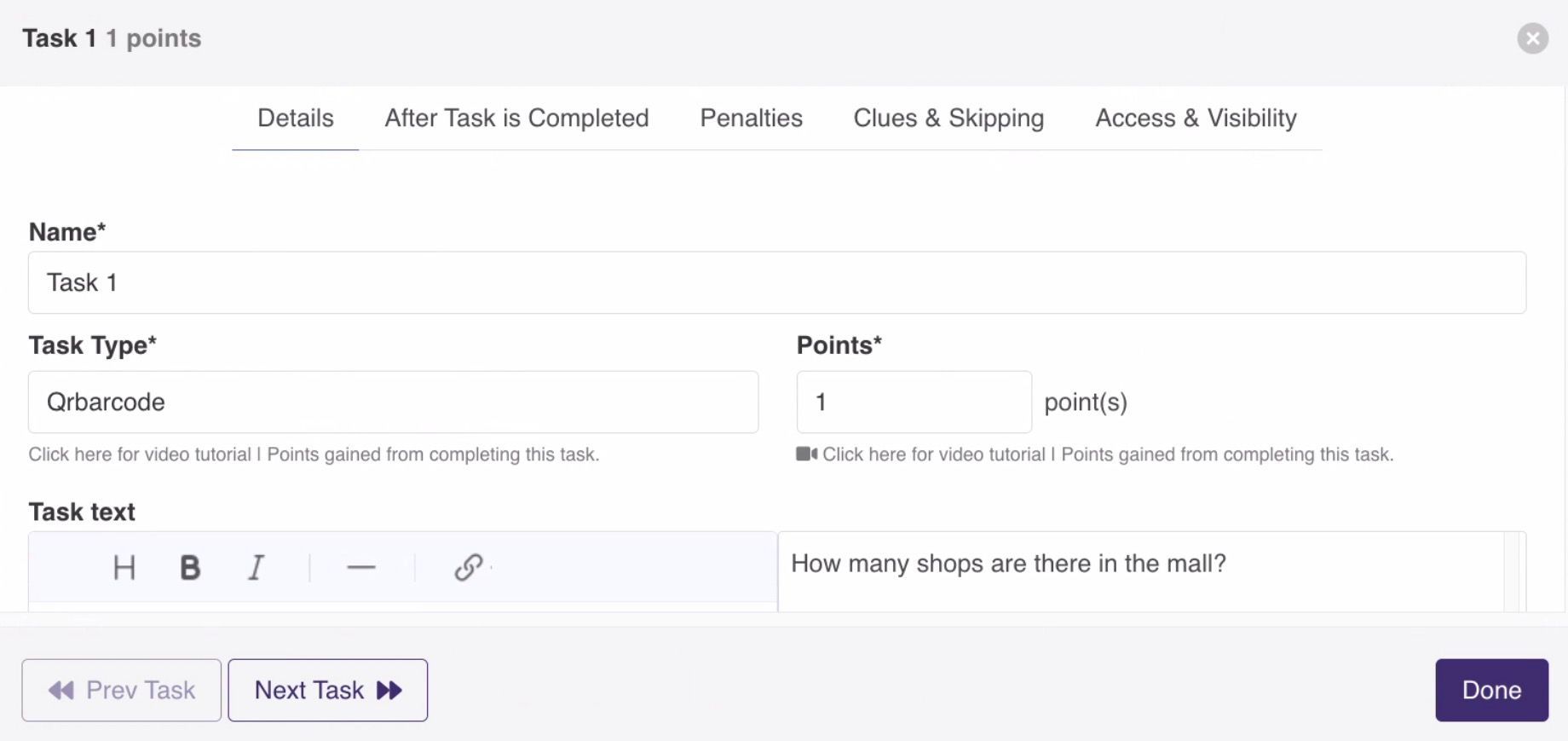
Hide QR codes in the break room, CEO's office, and meeting rooms. Each QR code reveals a video message with a clue or challenge. With PlayTours, you can set up QR code tasks that auto-generate unique codes for each location. Teams scan the code, watch the video, and submit their answer to earn points. The team building scavenger hunt ideas that use your actual office space are the easiest to implement because there is no travel or venue booking required. You can set up the entire hunt during a lunch break and have teams running through the office by the afternoon. For larger offices, use the shuffle chapters feature so different teams start at different locations, preventing crowding in popular spots like the break room or the CEO's corner office.
2) The Photo Mission Hunt
Teams complete creative photo challenges submitted through the app. Best photos win bonus points through team voting.
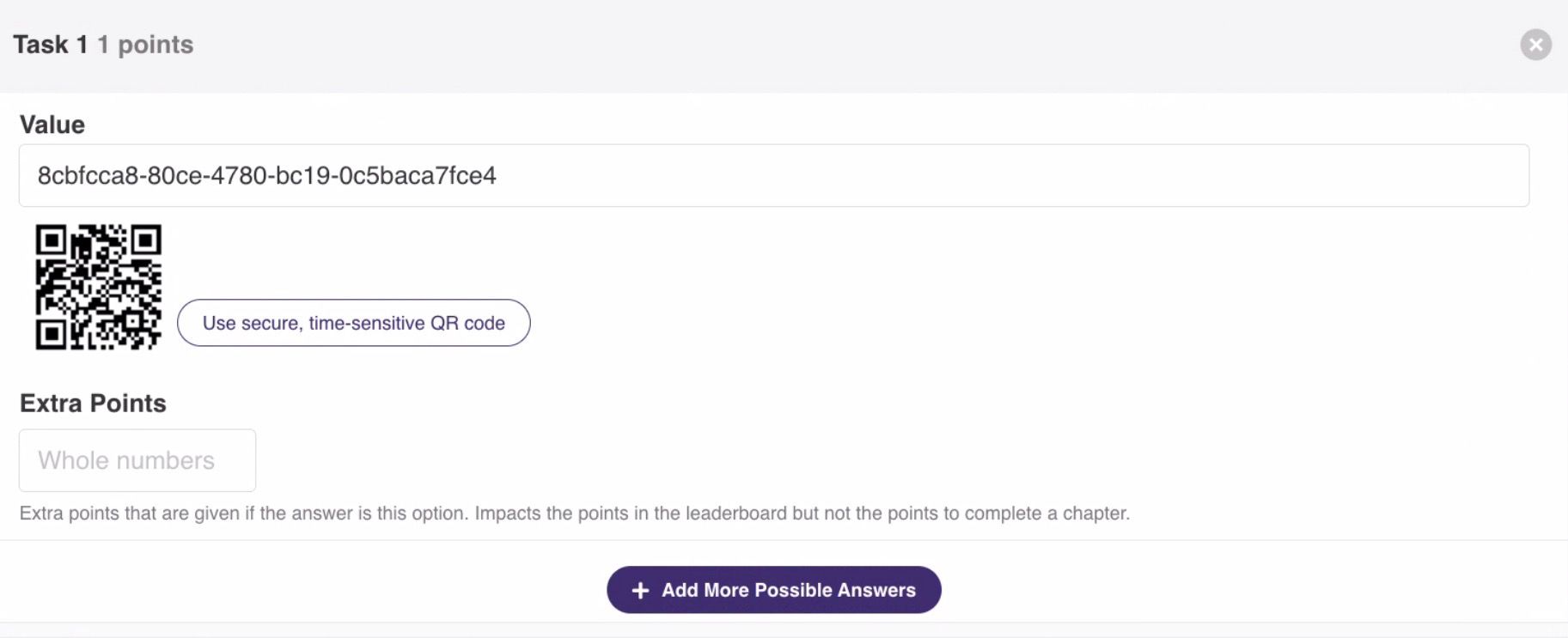
Challenges like "take a team photo where everyone is balancing on one foot" or "capture the most creative interpretation of our company values." PlayTours supports image submission tasks with optional captions and face-blurring for privacy. The submission gallery captures all creative work, which you can share in a post-event slideshow. Teams can also vote on each other's photos using the thumbs-up feature in the chat. This format works especially well for onboarding new hires, as the photo challenges naturally encourage cross-departmental interaction and help new employees learn company culture through creative expression.
3) The GPS Neighborhood Hunt
Take the hunt outside with GPS-triggered challenges at nearby landmarks, parks, or local businesses.
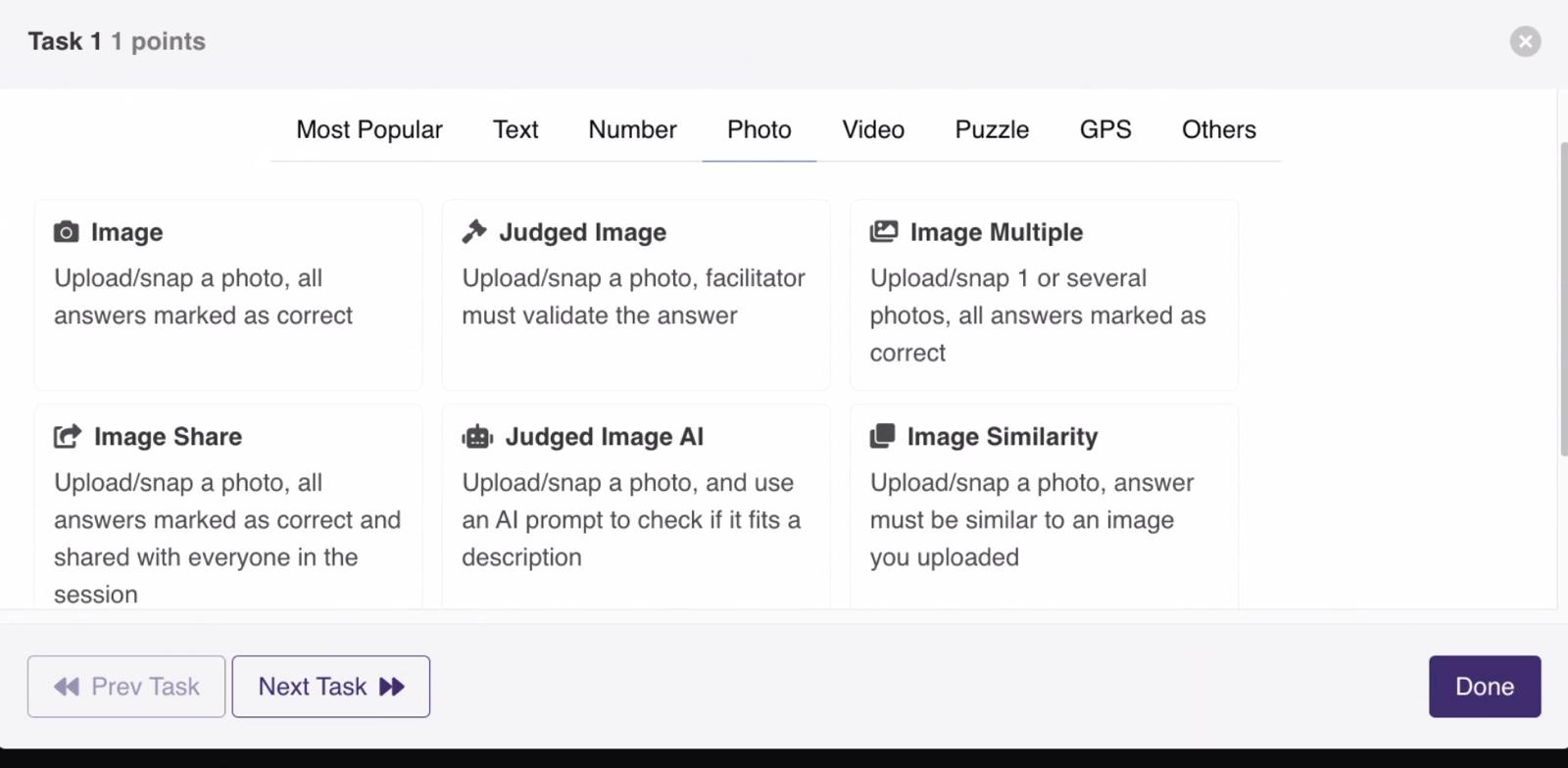
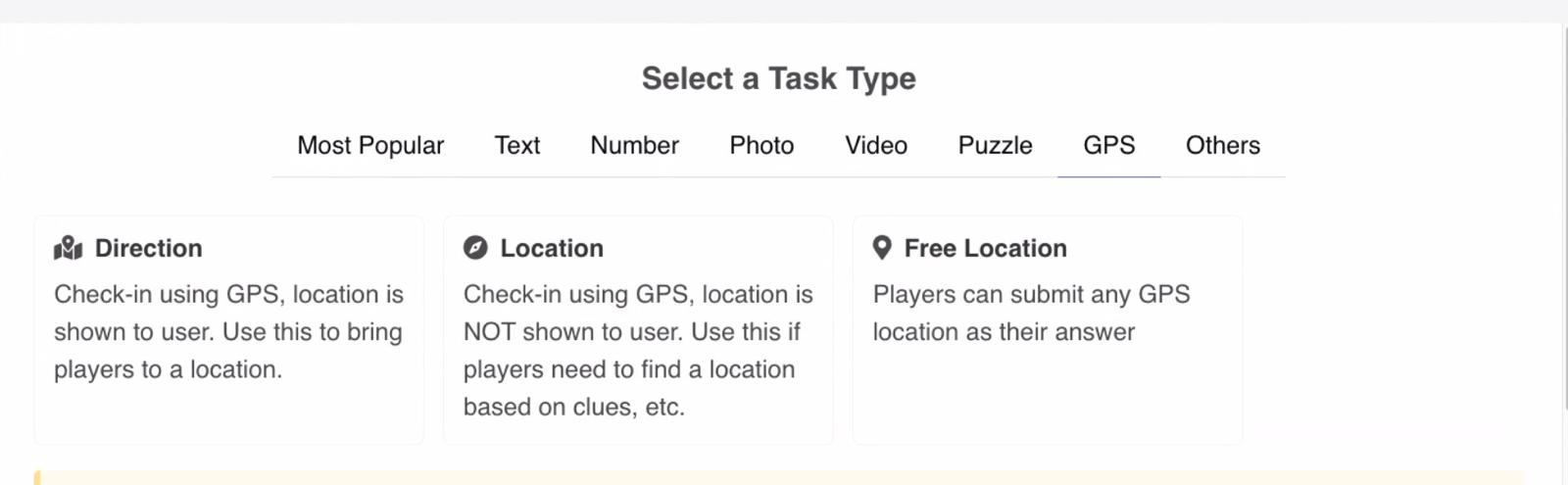
Set up geofenced zones at 5 nearby locations. Teams must physically visit each location to unlock challenges. PlayTours supports both "direction" tasks (where the location is shown on a map) and "location" tasks (where players must find the spot using clues alone). Each GPS zone can have a custom radius of 20-200 meters depending on the accuracy needed. This is one of the most engaging team building scavenger hunt ideas for teams that want to get outside and explore their neighborhood together. You can incorporate local landmarks, coffee shops, or even a nearby park where teams complete a physical challenge before moving to the next GPS waypoint. The live map in the facilitator dashboard lets you track which teams are at which location in real time.
4) The Company Trivia Trail
A trivia-based hunt where each correct answer unlocks the next clue. Questions cover company history, industry knowledge, and fun facts about colleagues.
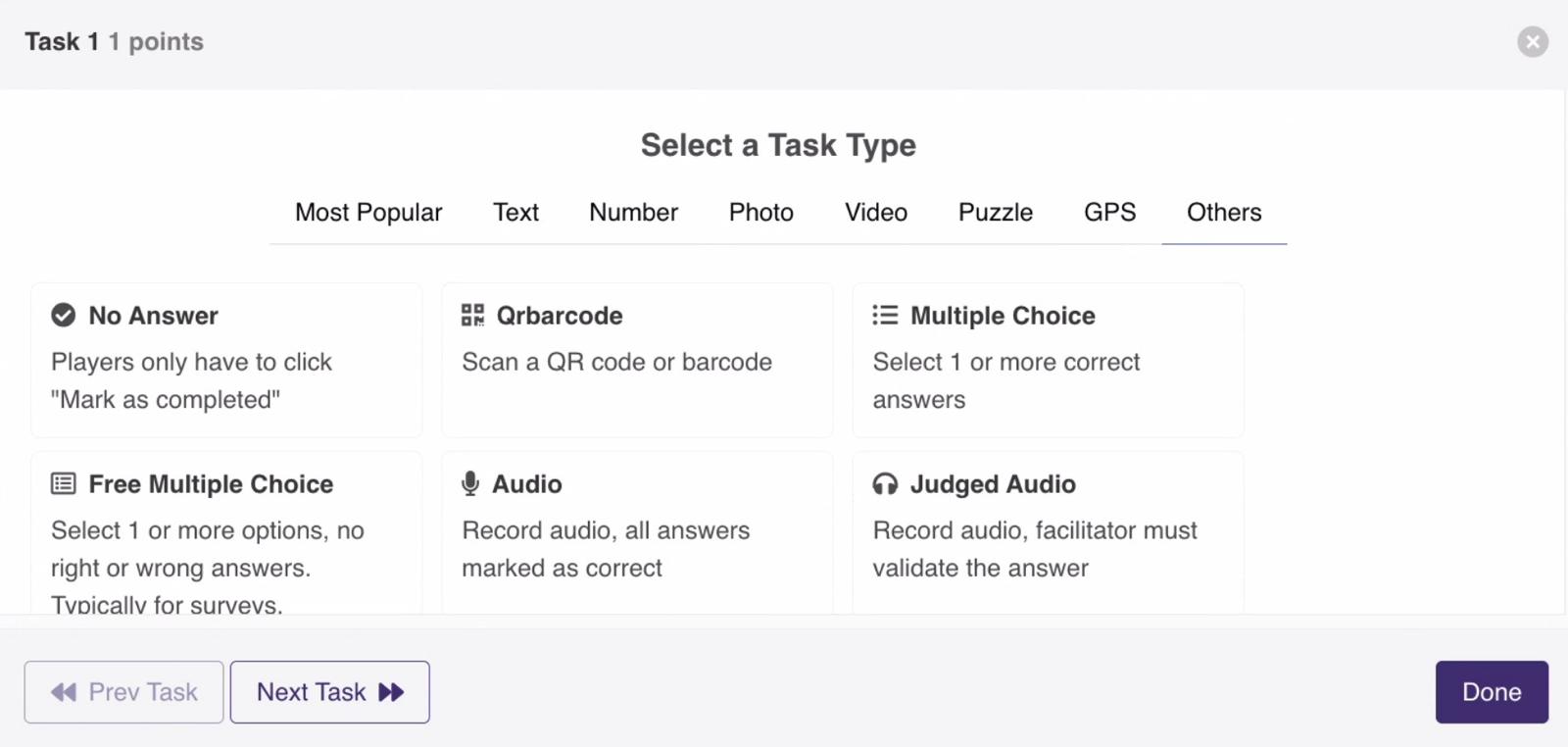
"Which year was our company founded?" unlocks a clue leading to the next trivia station. PlayTours supports multiple-choice tasks with shuffle options, so each team sees questions in a different order. You can set up a "must complete in order" chapter to create a linear trivia trail, or let teams tackle questions in any sequence. Add a time penalty on wrong answers to keep the competition tight. For extra fun, include "fun facts about colleagues" questions like "Who in the office has run a marathon?" or "Which team member speaks three languages?" This turns the trivia trail into a team bonding experience that helps colleagues learn surprising things about each other.
5) The Video Challenge Hunt
Teams record short videos responding to prompts. Creativity and humor are rewarded with bonus points.
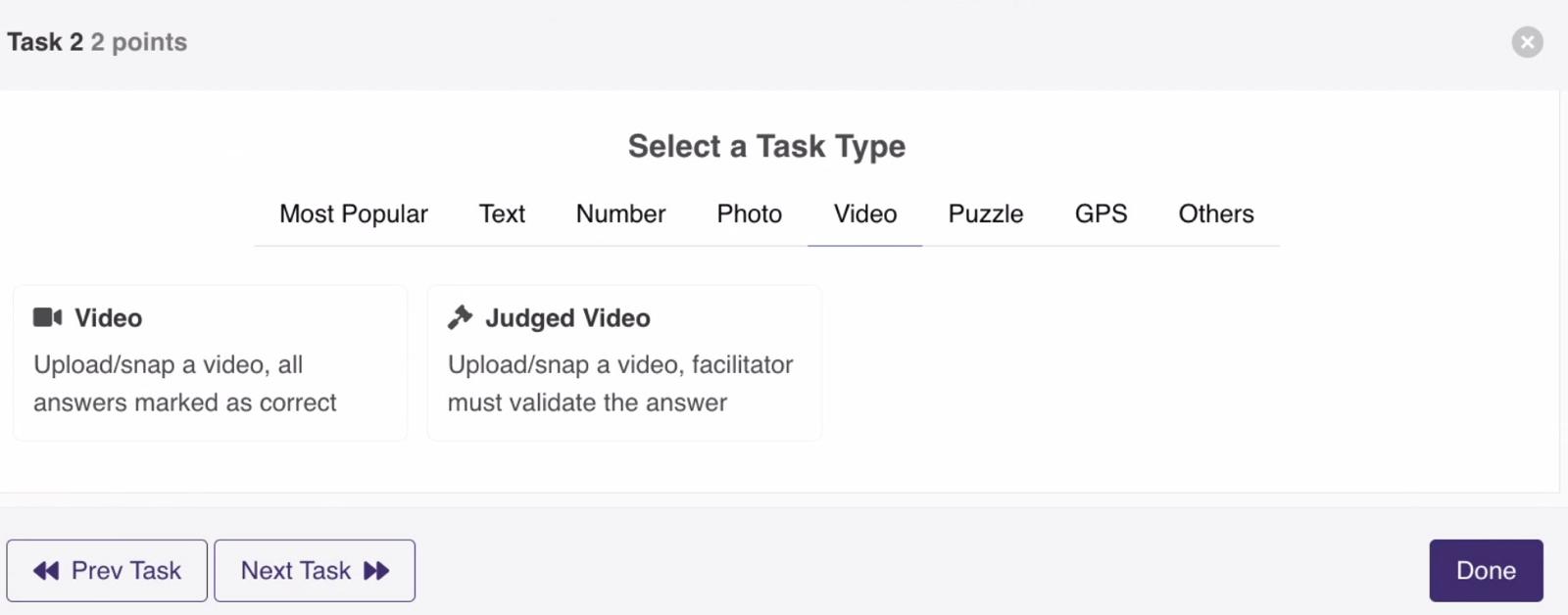
"Record a 30-second infomercial for your department" or "Recreate a famous movie scene using only office supplies." PlayTours supports video submission tasks with a 140MB limit (roughly 90 seconds on a typical phone). Videos are stored and viewable in the facilitator dashboard. For subjective challenges, use the judged-video task type so a facilitator can approve or reject submissions manually. The video gallery becomes a fantastic post-event highlight reel that teams love watching together during the debrief session. Research on gamification in workplace settings suggests that creative video challenges significantly boost team cohesion and psychological safety [1][4].
6) The Scavenger Hunt Relay
Teams rotate through challenge stations in a relay format. Each station has a different type of challenge.
Station 1: solve a riddle. Station 2: take a group photo. Station 3: answer a trivia question. Station 4: complete a physical challenge. PlayTours chapters act as stations, and you can use the shuffle chapters feature to ensure teams start at different stations to prevent bottlenecks. Set a per-chapter time limit with auto-forward to rotate teams at the buzzer, just like an Amazing Race format. Each station can have its own theme and music URL for an immersive experience. The relay format works best for groups of 20-50 people where you want everyone moving and interacting across multiple activity types in a single session.
7) The Brand Story Hunt
A hunt that takes teams through the company's history, values, and milestones. Educational and team-building combined.
Each stop reveals a chapter of the company story. Teams answer questions about what they learned to earn points. PlayTours supports text-based tasks with markdown formatting, so you can embed images, links to internal wiki pages, and even video messages from founders. Use the custom completion message feature to reveal the next chapter of the story after each correct answer. This format is particularly effective during company anniversaries, product launches, or onboarding weeks when you want new hires to absorb company culture in an engaging, memorable way rather than through a slide deck. Studies show that gamified onboarding programs significantly improve knowledge retention compared to traditional orientation methods [3].

8) The Problem-Solving Escape Hunt
Teams solve puzzles and riddles to "escape" each chapter. Combines escape room mechanics with scavenger hunt exploration.
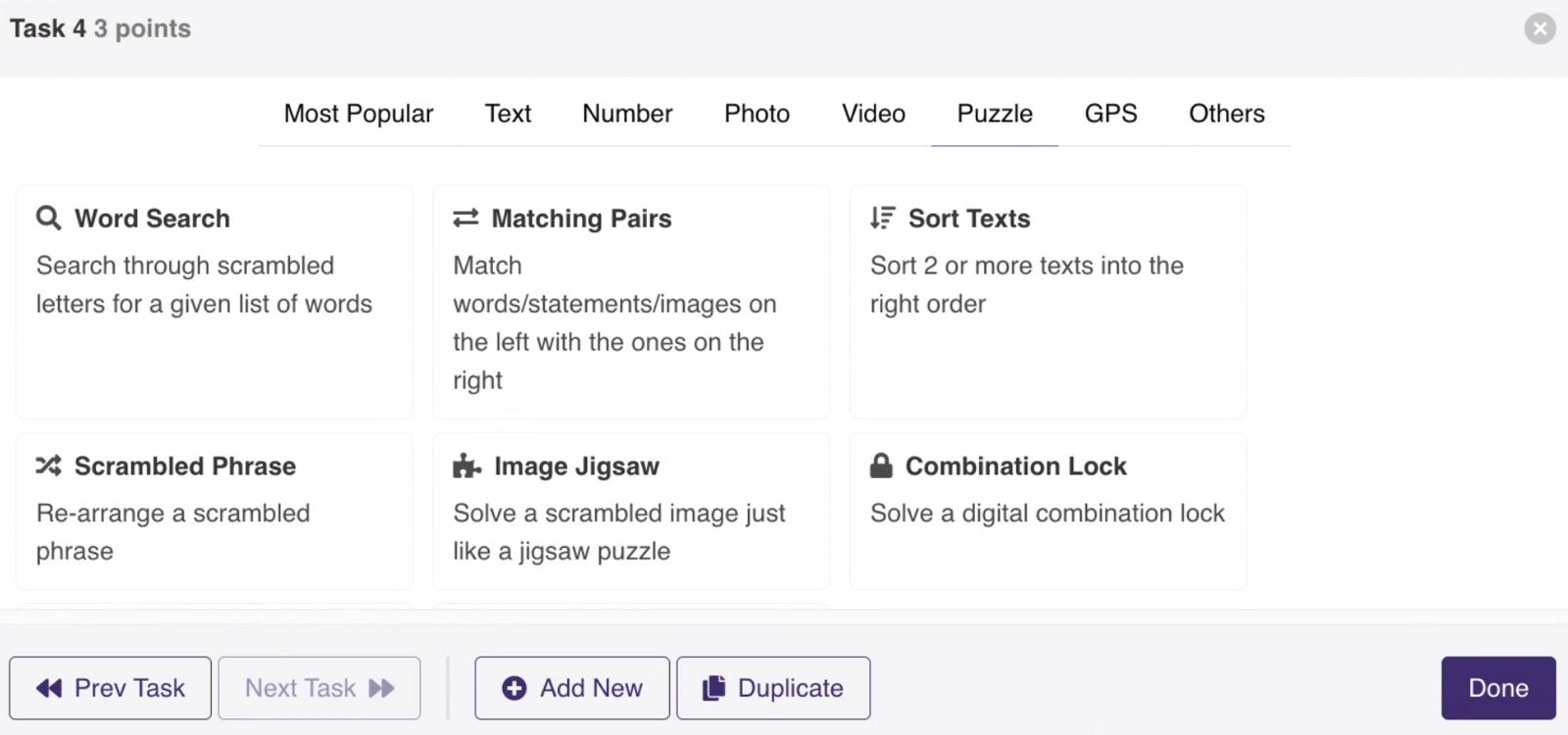
"The answer to this riddle tells you where to go next. I speak without a mouth and hear without ears. I have no body, but I come alive with the wind. What am I?" (Answer: an echo - leads to the stairwell or open area). PlayTours supports puzzle task types including combination-lock, scrambled-phrase, crossword, and image-jigsaw. Set tasks to "must complete in order" to create a linear escape room flow where each puzzle unlocks the next. You can also use the access code feature to gate tasks behind physical QR codes that teams must find first. This format is ideal for teams that enjoy intellectual challenges and works well as a lunch-break activity that gets people thinking together.
9) The Customer-Centric Hunt
Challenges that involve interacting with customers or understanding customer perspectives. Great for sales and support teams.
"Find a customer who has been with us for over a year and ask them what they love most about our product. Submit a 30-second video of the conversation." PlayTours supports video submission with facilitator review, so a manager can approve customer interaction videos before points are awarded. This works especially well during customer appreciation events or sales kickoffs where customers are already present. For teams that work remotely, adapt this to "record a video testimonial from a colleague explaining how they use your product" to keep the customer-centric focus without requiring external interactions. This format builds empathy and product knowledge simultaneously.
10) The Virtual Team Hunt
Fully remote-friendly hunt using video submissions, photo challenges, and online trivia. No physical location needed.
"Take a photo of your home office setup and explain one productivity hack you use" or "Find an item in your home that represents our company value of innovation." PlayTours supports fully virtual games with no app download required - employees access everything through their browser. Use text-share tasks to share answers in the session chat so remote teams can see each other's creative submissions in real time. The virtual format is especially valuable for distributed teams that rarely meet in person, as it creates shared experiences and inside jokes that build remote team culture. Research on gamification as a management tool confirms that well-designed virtual team activities improve communication and collaboration among distributed workforces [4].
Ready to Run One of These Ideas?
All 10 of these team building scavenger hunt ideas can be set up in minutes using PlayTours. The platform requires no app download, supports photo, video, text, GPS, QR code, and trivia challenges, and works for both in-office and remote teams. Start with a free PlayTours template and have your first hunt running in under 30 minutes.
SOURCES:
- PlayTours Game Builder Features Reference (2026). Internal product documentation. Verified.