
Self-guided walking tours have become one of the most popular ways to explore cities, campuses, and cultural districts.To organize the most effective self-guided walking tours, you don’t need different PDFs, static maps, or traditional audio guides anymore. They’re built using scavenger hunt apps that turn exploration into an interactive, mobile-first experience.
This article is part of our interactive tour builder guide — a complete overview of GPS walking tour tools, how to choose one, and how to build your first tour.
This guide explains how to design your own self-guided walking tour using a scavenger hunt app, from planning the route to launching it for real visitors.
Why Use a Scavenger Hunt App for a Self-Guided Walking Tour?
Traditional self-guided tours often struggle with low engagement, passive consumption, and high drop-off rates halfway through the route. Visitors read, listen, and move on, often without fully connecting to the place.
Scavenger hunt apps change this by making exploration active rather than passive. Instead of simply following directions, participants solve clues, complete challenges, take photos or videos at landmarks, and learn by doing.
The result is a walking tour that feels more memorable, more immersive, and far more shareable.
Step-by-Step: How to Design a Self-Guided Walking Tour
Step 1: Define the Purpose of Your Walking Tour
Start by being clear about why your tour exists. Common goals include helping tourists discover a city or neighborhood, highlighting cultural or historical landmarks, introducing new students to a campus, driving foot traffic to local businesses, or supporting a branded city activation or event.
Your goal will shape everything that follows, including route length, challenge design, pacing, and tone.
Step 2: Choose the Route and Stops
Plan a route that is easy to walk, intuitive to follow, and enjoyable to explore. Most successful self-guided walking tours last between 30 and 90 minutes and include around 8 to 15 stops.
Each stop should be meaningful. Ask yourself:
- Why does this place matter?
- What story does it tell?
- What should visitors notice upon arrival?
Visually distinctive or story-rich locations tend to perform best.
Step 3: Turn Locations into Interactive Challenges
This is where scavenger hunt apps add real value. Instead of listing stops with static descriptions, turn each location into an interactive task. Within a robust scavenger hunt app, you can assign different task formats at each stop to become a structured task linked to a physical location
1. GPS/ Location-Based Challenges
GPS tasks are the main challenges that you can connect your tour route to a specific location and confirm that participants are physically there. In PlayTours, GPS tasks can be set up in three different ways: Direction mode, Location mode, and Free Location mode. Depending on your game logic and how much guidance you want to provide, you can choose the option that best fits your walking tour.
2, Photo/Image-Based Challenges
Beyond GPS, photo-based tasks are especially effective for self-guided walking tours because they visually confirm that participants are physically present at a location. At the same time, participants create personal memories as part of the experience.
PlayTours offers seven different image-based task types, giving you flexibility in how you design each stop. For stronger validation, you can use Image Similarity or AI Judged Image tasks to check whether a submitted photo matches a reference image or fits a description you define. By using visual verification instead of only GPS, you make the walking tour more interactive, more reliable, and more engaging.
3. Trivia/Text-Based Challenges
To make each stop more engaging, you can combine learning with exploration. Add simple multiple-choice and text-based tasks to bring more flavor to your tour. Make participants answer a quick quiz, type a short response based on what they observe, or fill in a missing word from a historical sign.
In PlayTours, you can use task types like Multiple Choice, Text or Fill In The Blanks for observation-based answers, or even Text AI if you want more flexible validation for open responses.
Step 4: Decide How Participants Access the Tour
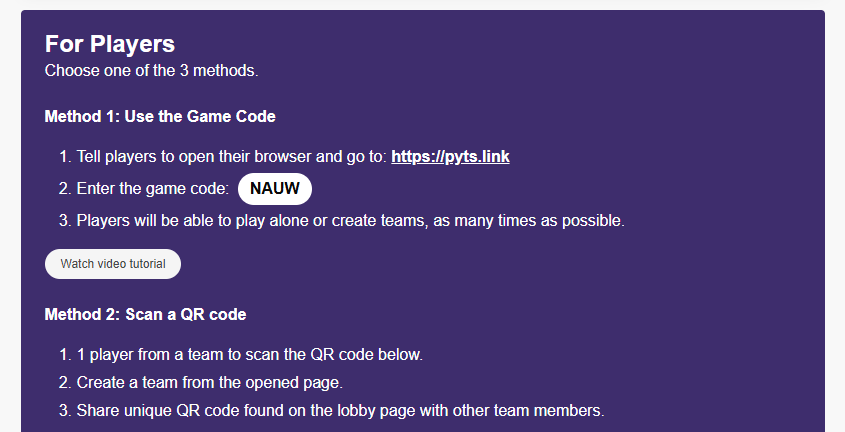
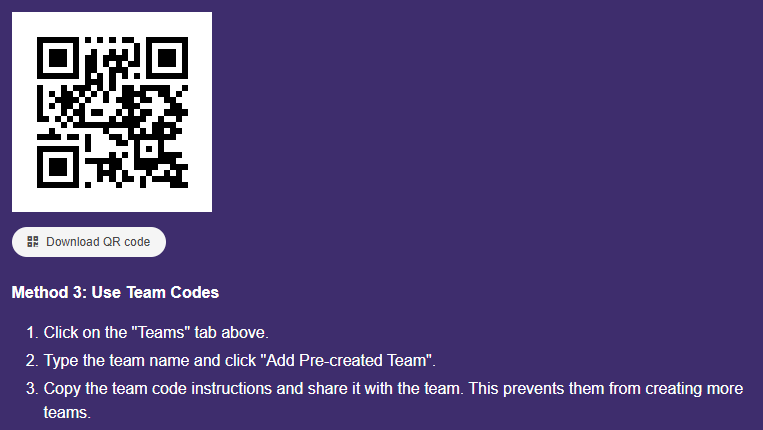
For tourism and public walking tours, access matters more than advanced features. The easier it is to start, the more people will participate. QR codes placed on signs, posters, or brochures work well, as do short links shared on tourism websites or social media.
With PlayTours, participants join directly through a QR code or link and begin immediately in their mobile browser. There is no app download required, which significantly improves accessibility for tourists, international visitors, and spontaneous participants.
Mobile web-based scavenger hunt apps are usually the best option for open, public use.
Step 5: Design the Flow (Self-Guided Should Still Feel Clear)
A good self-guided walking tour should feel flexible, but never confusing. Participants should always know what to do next, even if they can move at their own pace.
When designing city-wide tours or high-traffic public events, movement management becomes just as important as storytelling. If too many participants arrive at the same landmark simultaneously, the experience can feel crowded or chaotic.
To address this, PlayTours allows organizers to control progression settings directly within the tour structure. You can require tasks to be completed in a specific order to preserve narrative flow, or activate shuffled task logic to distribute participants across different stops while still maintaining the overall structure of the experience. This approach helps balance crowd distribution without sacrificing storytelling.
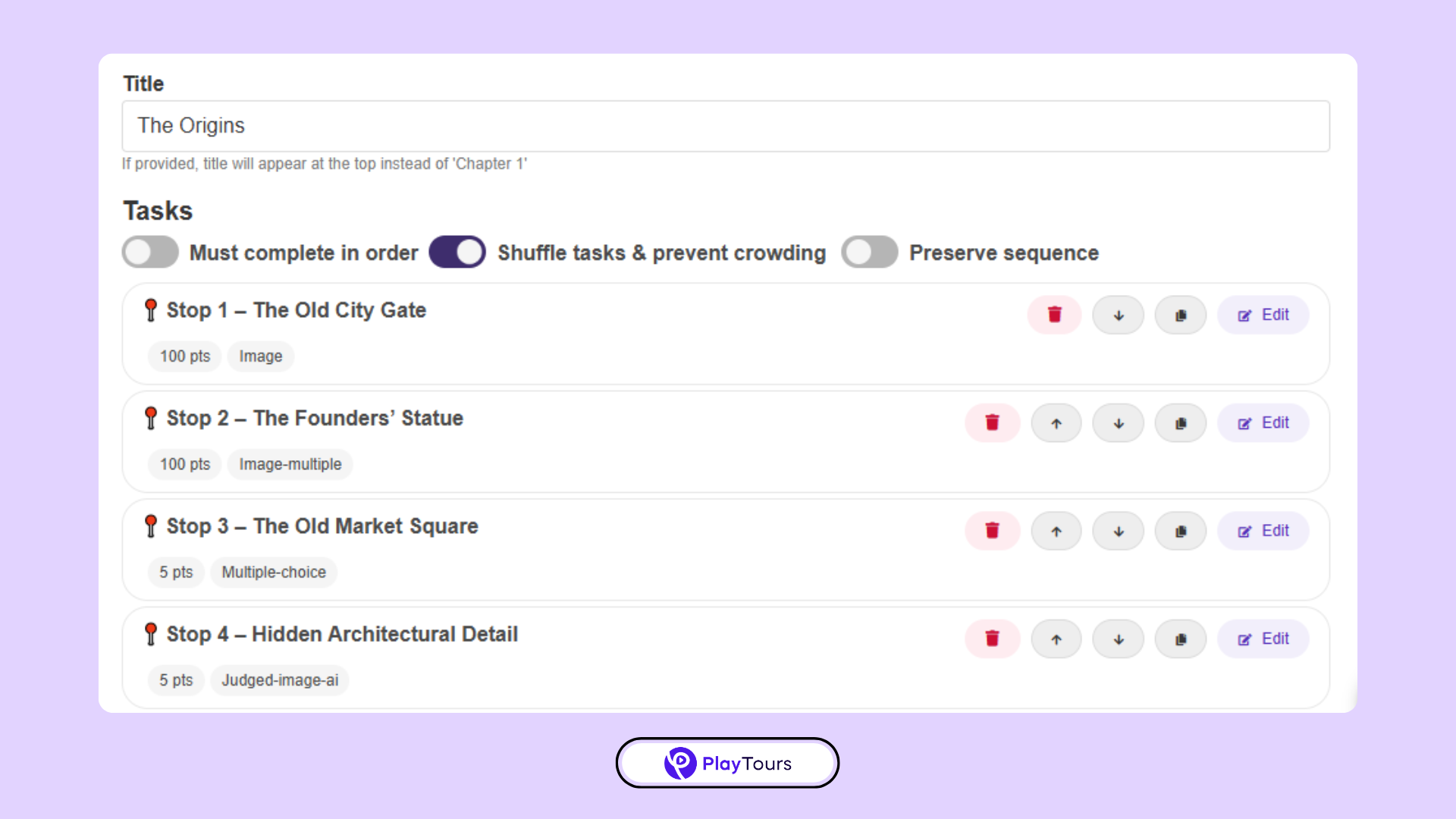
By thoughtfully designing the flow, you’re not only guiding participants, you’re also shaping how they move through physical space. In large-scale public walking tours, that distinction matters.
Step 6: Add Storytelling and Context
The most memorable walking tours are not just collections of tasks; they tell a story.
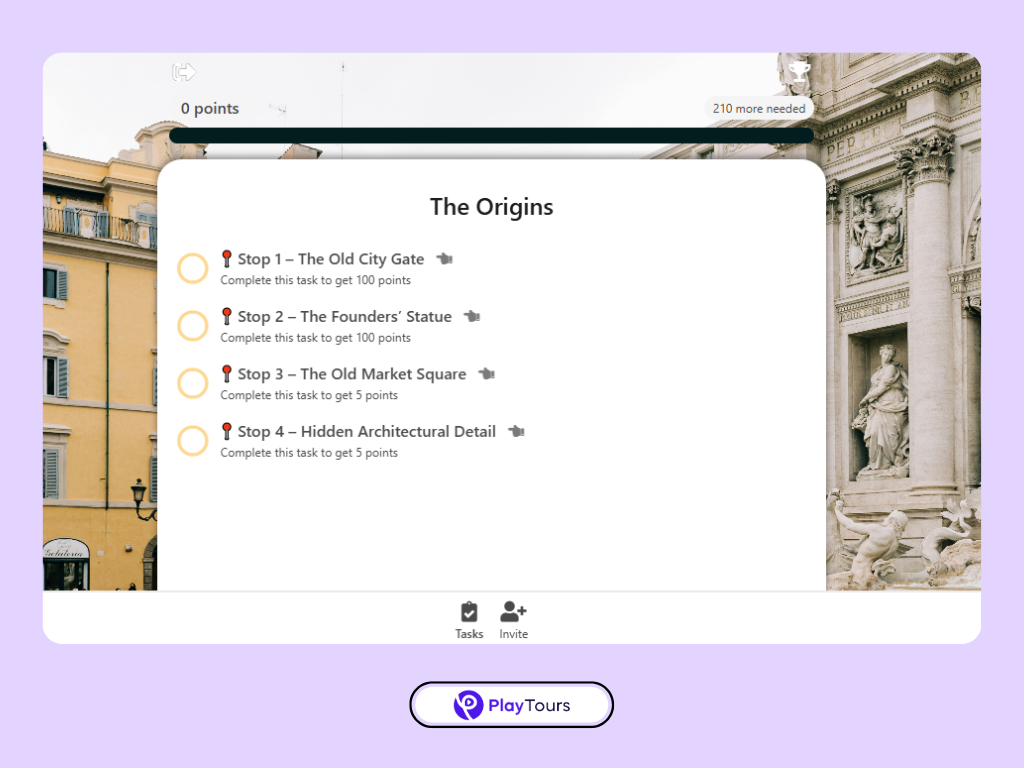
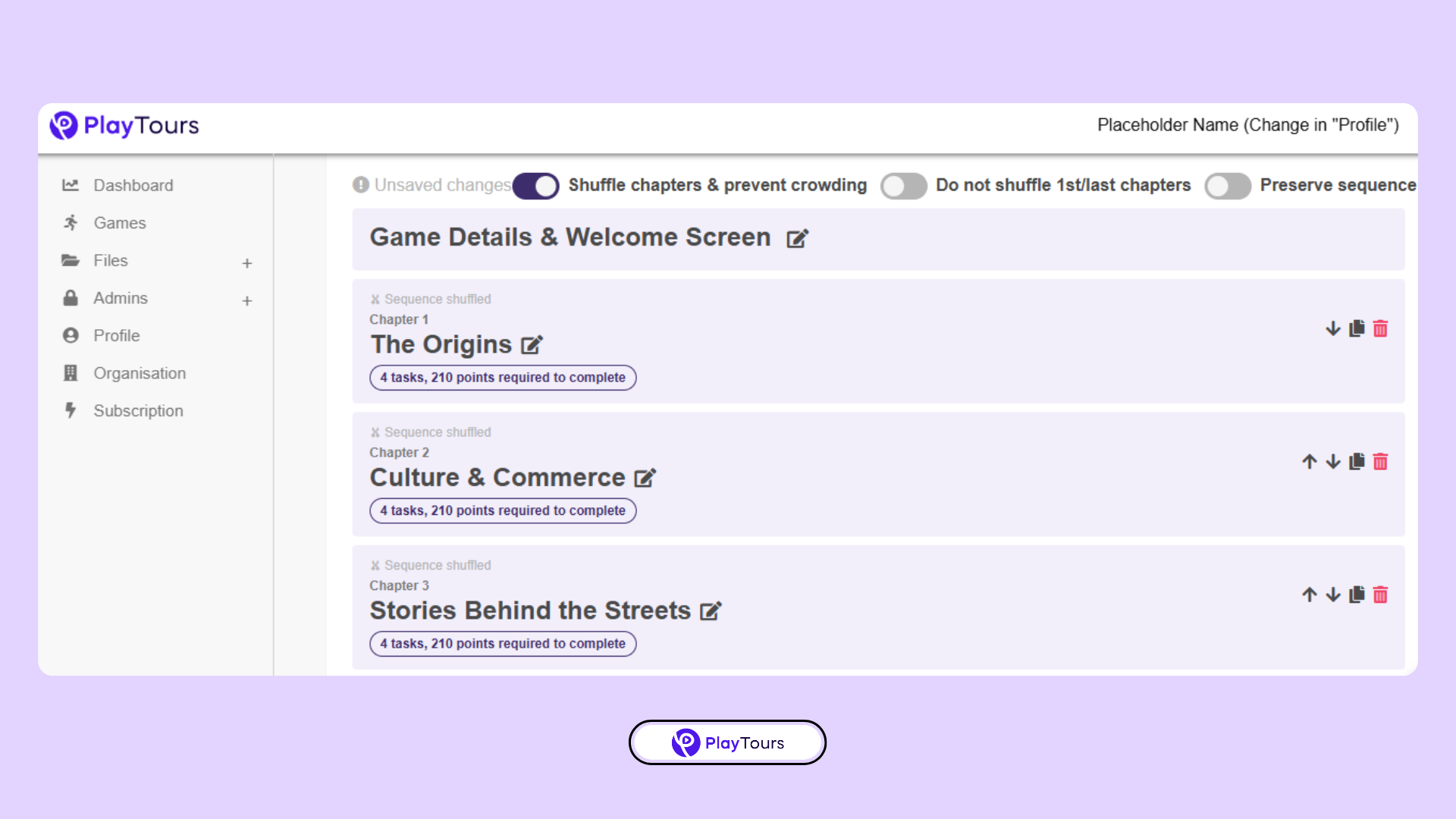
To create a narrative structure, group related stops into thematic chapters. For example, one chapter might introduce the origins of the district, another might focus on cultural influences, and a final chapter might highlight modern transformation.
PlayTours allows you to segment the tour into chapters that organize content clearly for participants. This gives the experience a defined beginning, middle, and conclusion rather than feeling like scattered checkpoints.
Step 7: Test the Tour Like a First-Time Visitor
Before launching, walk the entire route yourself. Test the tour on different devices, check loading times, and confirm that challenges are achievable on location. Pay close attention to instructions and transitions between stops.
If something feels unclear to you, it will feel even more confusing to visitors.
What to Look for in a Scavenger Hunt App for Walking Tours
Not all scavenger hunt apps are designed for self-guided walking tours. Look for platforms that support mobile web access, QR or link-based entry, photo and video challenges, simple content editing, and the ability to reuse or duplicate tours. Scalability is also important if you expect public or city-wide participation.
Apps built primarily for classrooms or internal team events often struggle in public tourism settings.
Ready to Build Your Self-Guided Walking Tour?
With PlayTours, you can turn any physical space into a structured, interactive journey. Create a guided flow of locations, tasks, and challenges that participants access instantly through a QR code, without needing to download an app.
You can start with a free account and build at your own pace. Set up your route, add tasks, test the experience, and publish it when everything feels ready. Once live, just share the QR code and make it accessible to your audience.
If you have questions while building or want feedback on your structure, the PlayTours team is happy to help. You can reach us anytime at hello@playtours.app.

Summary
Self-guided walking tours work best when they’re interactive, flexible, and easy to access. Scavenger hunt apps provide the structure to guide visitors while still giving them the freedom to explore at their own pace.
If your goal is to create a walking tour people actually finish—and remember—interactivity is no longer optional.
Related reading: 5 criteria for choosing a self-guided tour app · choosing a tour app without wasting your budget