
Freshers’ Week is one of the most important moments for student engagement. It is also one of the most crowded and attention-limited environments you will be working in.
If joining your scavenger hunt feels like an effort, most students will simply not participate. That is why removing app downloads is not just a technical decision. It directly impacts participation, onboarding speed, and overall engagement.
This guide explains how to run a Freshers’ Week scavenger hunt that students can join instantly, without installing anything.
Why No-Download Scavenger Hunts Perform Better
New students are constantly being asked to sign up, download, and register for multiple activities at once. In that context, even small friction points become major drop-off triggers.
When a scavenger hunt requires:
- Searching for an app
- Installing it
- Creating an account
Participation drops before the experience even begins.
A browser-based scavenger hunt app removes these barriers. Students can access the game immediately through a link or QR code, which makes the experience feel lighter and easier to commit to.
The simpler the entry point, the higher the participation rate. This is exactly where browser-based scavenger hunt app like PlayTours fit in. Instead of building a custom solution, you can launch a no-download scavenger hunt that is already optimized for instant access and mobile gameplay.
Practical Steps to Run a Freshers’ Week Scavenger Hunt Without an App
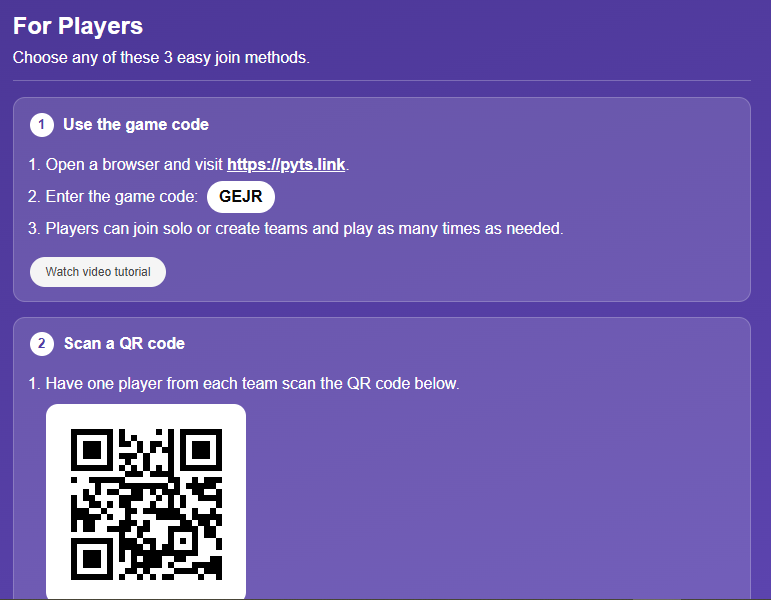
1. Use QR Codes to Enable Instant Entry
QR codes are the most effective way to connect physical spaces with a digital scavenger hunt. Instead of asking students to search for anything, you place entry points directly in their environment. These can be positioned at registration desks, around campus hotspots, or on printed materials like posters and welcome packs.
The key is what happens after the scan. A well-designed flow should:
- Open the game instantly in a mobile browser
- Take the user directly into the game
- Require little to no setup
This creates a seamless transition from curiosity to participation. With PlayTours, each checkpoint can be linked to a QR code, allowing students to scan and instantly unlock challenges without needing to download anything.
2. Run the Experience in a Mobile Browser
A mobile web-based scavenger hunt replaces the need for a native app while still delivering a structured experience.
This approach allows you to launch the game through a simple link while maintaining flexibility during the event. You can adjust content, fix issues, or update challenges without relying on app store approvals.
However, performance becomes critical. The experience must:
- Load quickly
- Work smoothly across devices
- Avoid unnecessary login steps
If the page takes too long to load or feels unstable, users will leave immediately. In a Freshers’ Week setting, speed is not optional. This is particularly important when using PlayTours scavenger hunt app, where the entire scavenger hunt runs in a mobile browser, ensuring fast access without relying on app installations.
3. Use the Campus as the Core Experience
A scavenger hunt during Freshers’ Week should do more than entertain. It should help students explore and become familiar with their new environment.
Design your challenges around real locations. This could involve visiting key buildings, scanning QR codes at checkpoints, or answering questions based on what they see on-site.
This approach turns passive spaces into active touchpoints. It also naturally guides movement across campus, which is especially valuable for orientation purposes.
4. Mix Challenge Types to Maintain Engagement
Repetition reduces engagement quickly, especially in a short attention environment.
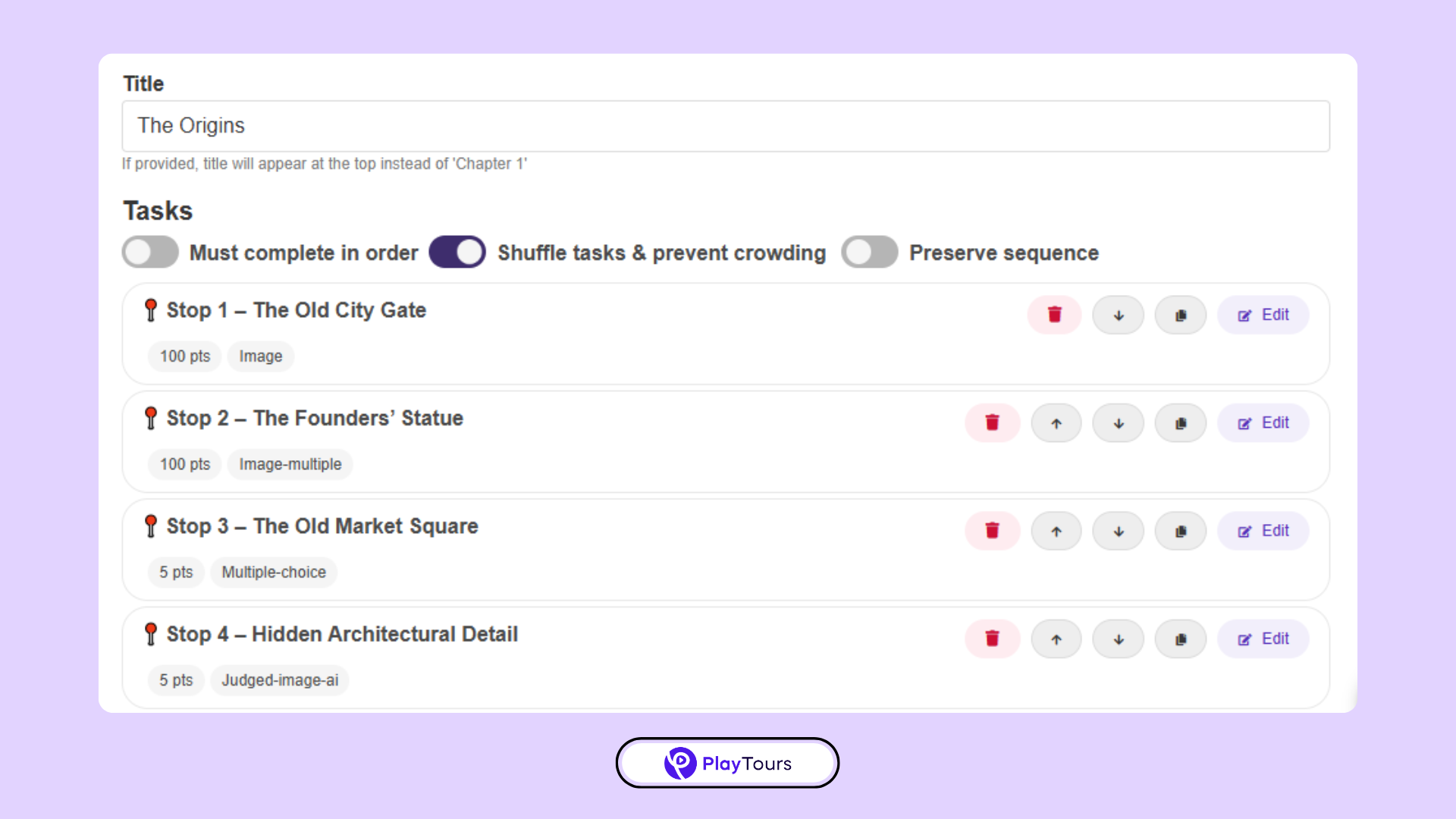
A more effective approach is to combine different types of challenges throughout the game. For example:
- Photo-based tasks that encourage interaction
- Short quiz questions to test awareness
- QR checkpoints to validate visits
- Simple actions at booths or locations
This variation keeps the experience dynamic without making it more complicated. These types of challenges can all be configured within PlayTours, making it easier to design a varied experience without increasing complexity.
5. Add Real-Time Feedback and Incentives
Motivation plays a key role in whether participants complete the experience.
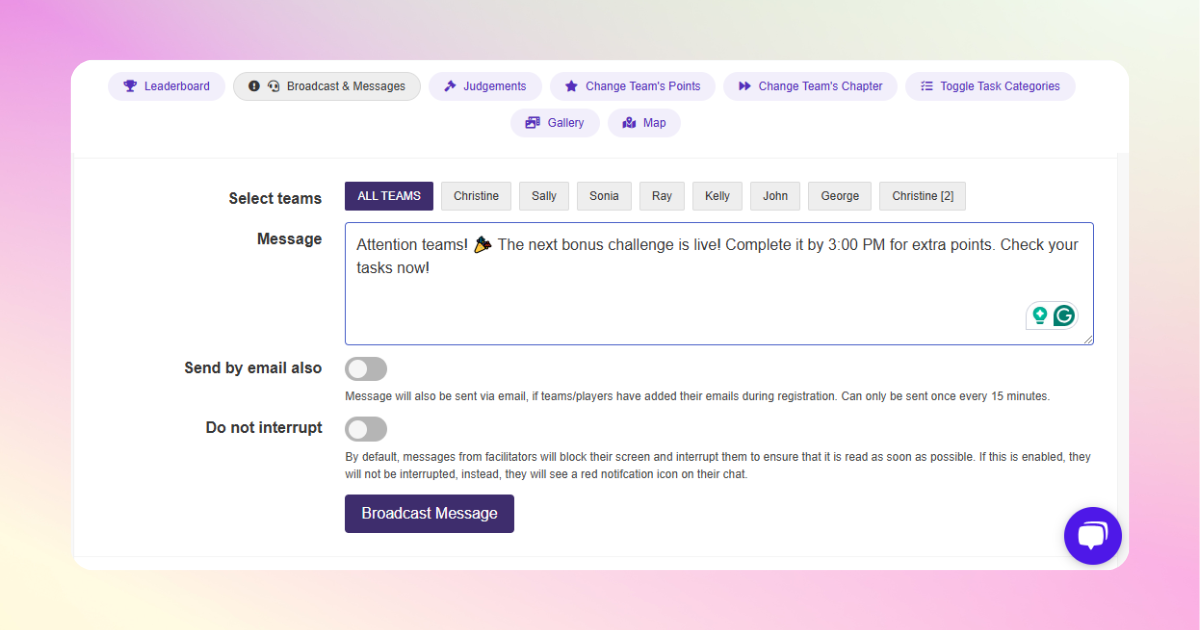
Even without a native app, you can introduce elements that encourage continued participation. Leaderboards, instant feedback after completing a challenge, and simple rewards all contribute to momentum. Web-based scavenger hunt app like PlayTours also support features such as live leaderboards and real-time feedback, helping maintain engagement throughout the experience.
Rewards do not need to be complex. In most cases, small incentives such as vouchers or giveaways are enough to drive engagement. The objective is to create a sense of progress and recognition as users move through the game.
6. Promote It Across Multiple Touchpoints
Accessibility alone does not guarantee participation. Students still need to see and hear about the scavenger hunt multiple times before they decide to join.
Promotion should be integrated into the Freshers’ Week environment. This can include:
- Mentions during orientation sessions
- Student ambassadors guiding participation
- Posters placed in high-traffic areas
- Social media visibility
The more exposure the activity gets, the more likely students are to engage with it.
How to Set This Up Without Building Everything From Scratch
While it is possible to combine different tools, this often creates unnecessary complexity during a time-sensitive event. Most organizers prefer using a single platform to manage the entire experience.
For example, PlayTours allows you to:
- Create QR-based checkpoints across campus
- Design multiple challenge types such as quizzes, photos, and location-based tasks
- Run the entire experience in a mobile browser
- Track participation and engagement in real time
This removes the need for technical setup and ensures the experience runs smoothly during high-traffic events like Freshers’ Week.
Summary
By reducing friction, you make it easier for students to participate. By simplifying the experience, you increase completion rates. And by focusing on accessibility, you improve overall engagement.
The goal is not to build the most technically advanced solution. It is to create something students can join instantly and enjoy without effort.
Sample 3-hour Freshers’ Week hunt timeline
A simple structure that works on most campuses:
- 0:00 — Teams scan the opening QR at the main welcome marquee and name their team.
- 0:10 — Chapter 1: three QR check-ins at the library, students’ union, and the faculty building closest to their course.
- 0:45 — Chapter 2: four photo/quiz tasks around campus landmarks. Shuffle enabled so teams don’t all rush the same spot.
- 1:30 — Chapter 3: two reflection tasks (“one society you’d try”, “one place on campus you’d recommend”) and one team-selfie task.
- 2:30 — Final chapter: scan a QR at the closing venue (e.g. a social) to lock in the score.
- 3:00 — Prize draw at the closing venue. Winners announced on the leaderboard screen.
Sources
- Apex Logic, PWA vs Native Apps 2026: Benchmarks, Adoption, & Strategic Choices. apex-logic.net