
Trade Show Scavenger Hunt App Ideas: How to Drive Booth Visits and Sponsor ROI in 2026
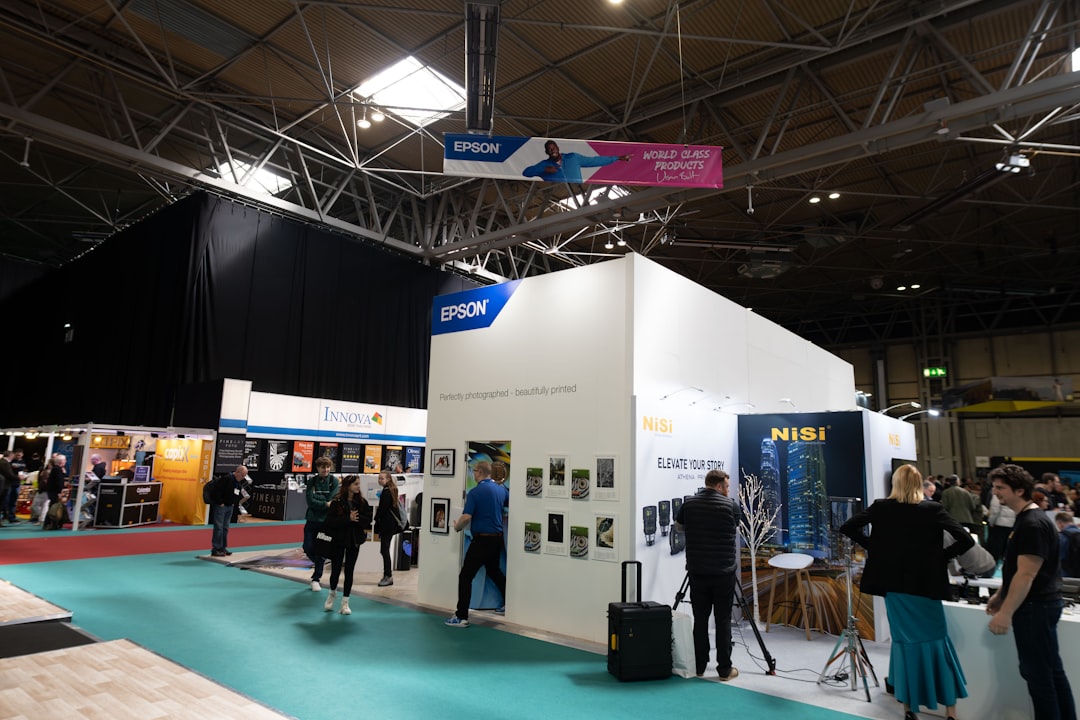
Trade shows struggle with uneven booth traffic and disengaged attendees. A small number of headline exhibitors get lines, while many others watch people stroll past.
In this guide you will get practical scavenger hunt mission ideas plus a concrete blueprint for running them with a browser-based scavenger hunt app like PlayTours.
Table of contents
Why Trade Show Scavenger Hunts Work (When Done Right)
Turning passive browsing into active missions
A typical trade show floor is built for browsing. Attendees wander, glance at booths, and only stop when something really grabs them. A scavenger hunt flips that behaviour. Instead of hoping people notice a stand, you give them specific missions that require visiting it.
For example, a mission might say “Scan the QR at any cybersecurity sponsor and answer their quiz question for 100 points.” Now attendees have a reason to walk over, talk to staff, and pay attention to the product story. The game gives structure and urgency, which is especially helpful for first-time attendees or introverts who are not sure where to start.
Giving sponsors measurable engagement
Sponsors do not just want footfall. They want proof that people engaged with their brand. A well designed scavenger hunt app can track:
- how many teams scanned each booth and when
- how much time teams spent at each mission
- which quiz answers attendees submitted (so you can see which product pitch landed)
- which photo prompts drove the most submissions
- which sponsors had the highest completion rate vs booth traffic
Instead of vague “it felt busy” feedback, you can show each sponsor a simple report: number of teams, completion rate, correct answer rate, and sample photos. This makes it much easier to renew sponsorships and upsell premium placements next year.
Core Building Blocks of a Trade Show Scavenger Hunt
Missions (tasks) tied to booths and experiences
Every scavenger hunt is built from missions. At a trade show, most missions should be anchored to a booth, stage, or experience. Examples:
- Booth check-in: scan a QR at the sponsor stand to earn points.
- Demo completion: answer a question after watching a 3–5 minute product demo.
- Stage attendance: scan a QR at the theatre entrance, then answer a one-line question about the session.
- Activation: take a photo at a sponsor’s branded backdrop or with a product in hand.
- Exploration: visit a themed row (e.g. “Startup Alley”) and collect a set number of scans.
In PlayTours, each of these becomes a task. You can use qrbarcode tasks for physical check ins, text or multiple-choice tasks for questions, and image tasks for photo proof.
Points, leaderboards, and prizes
Points are what make the game feel rewarding. Assign higher points to missions that matter most to you and your sponsors, such as full product demos or theatre sessions. A live leaderboard keeps competitive attendees moving, especially if you show it on a screen or in the event app.
Prizes do not have to be huge. A mix of daily spot prizes, a grand prize, and sponsor swag is usually enough. The key is clarity. Tell attendees exactly how to earn points and how winners will be chosen, for example “Top 10 teams by points at 4 pm on Day 2.”
Timeboxing and pacing
Without pacing, everyone rushes the same missions at the same time. Use timeboxing to spread activity across the day:
- Morning — keep sponsor missions broad so teams spread across the floor.
- Around lunch and coffee breaks — open higher-point “speed run” missions that reward fast completion.
- Mid-afternoon dip — drop in photo or judged-image tasks to re-energise the hall.
- Final hour — freeze scoring 30 minutes before the close so no-one is running for a last scan during the wrap-up session.
In PlayTours you can use chapter time limits, global time limits, and time restricted tasks to control when missions are available and which ones count toward the leaderboard.
15+ Trade Show Scavenger Hunt Mission Ideas
Traffic-driving missions
These missions are designed to get people physically to booths.
1) Simple booth check in
Task type: qrbarcode
Instruction: “Scan the QR at any participating sponsor booth for 50 points.”
Twist: Give higher points for smaller or new exhibitors to balance traffic.
2) Find the hidden object
Task type: judged-image or image-similarity
Instruction: “Find the booth with a golden key icon on their counter. Take a photo of it.”
Outcome: Attendees scan the floor more carefully and discover new stands.
3) Speed run row
Task type: qrbarcode
Instruction: “Visit all 5 booths in the Startup Alley row and scan their QRs.”
Outcome: Drives traffic to a specific zone that needs love.
4) Stage or theatre attendance
Task type: qrbarcode + multiple-choice
Instruction: “Scan the QR at the theatre entrance, then answer one question about the session you watched.”
Outcome: Boosts session attendance and ensures people pay attention.
Lead-qualifying missions
These missions help sponsors identify real prospects instead of just prize hunters.
5) Problem fit question
Task type: multiple-choice
Instruction: “At Booth 310, ask the team which problem they solve best. Choose the closest match here.”
Outcome: Sponsors see which pain points resonate and can filter leads by interest.
6) Role or industry tagging
Task type: free-multiple-choice or multiple-choice
Instruction: “Tell us which best describes you: marketer, HR, IT, other.”
Outcome: Sponsors get basic segmentation data tied to each team.
7) Demo completion
Task type: qrbarcode + text
Instruction: “Complete a 5 minute demo at any platinum sponsor. Ask for the demo code and enter it here.”
Outcome: Only people who stayed for a real conversation can complete the mission.
8) Qualification question
Task type: text or number
Instruction: “Ask the booth staff what company size they typically work with. Enter the number they give you.”
Outcome: Forces a short qualifying conversation instead of a quick scan and run.
Content and learning missions
These missions support education and product understanding.
9) Product quiz
Task type: multiple-choice
Instruction: “After your chat at Booth 120, answer: Which of these is their flagship feature?”
Outcome: Reinforces key messages and shows sponsors how well attendees understood them.
10) Myth or fact
Task type: multiple-choice
Instruction: “Visit any cybersecurity sponsor and ask them to share one common myth. Mark it as myth or fact here.”
Outcome: Encourages deeper conversations and gives you interesting content for post event recaps.
11) Learning trail
Task type: chapters with mixed tasks
Instruction: “Complete at least 3 missions in the ‘AI in HR’ trail to unlock a bonus challenge.”
Outcome: Groups related booths and sessions into a themed path that feels like a mini course.
Social media and photo missions
These missions create shareable moments and visual proof of engagement.
12) Branded photo wall
Task type: judged-image or image-share
Instruction: “Take a team photo at the official photo wall. Make sure the event logo is visible.”
Outcome: You collect a gallery of on brand photos for marketing.
13) Sponsor selfie
Task type: judged-image-ai
Instruction: “Take a selfie with a staff member at any gold sponsor booth.”
Outcome: Humanises sponsors and encourages real conversations.
14) Best booth display
Task type: image-share + text-share
Instruction: “Snap a photo of your favourite booth design and tell us why you picked it.”
Outcome: Fun content plus qualitative feedback for exhibitors.
15) Social post proof
Task type: text or image
Instruction: “Post on LinkedIn or X about something you learned today. Paste the link or screenshot here.”
Outcome: Extends event reach beyond the venue.
16) Daily highlight reel
Task type: image-multiple or video
Instruction: “Capture 3 moments that defined your day and upload them.”
Outcome: Great material for a closing montage or internal recap.
Designing the Hunt in PlayTours
Use chapters for zones or days
In PlayTours, chapters are containers for tasks. For a trade show, a simple pattern is:
Set “points to complete chapter” so teams do not have to visit every booth. For example, if a hall has 20 missions worth 1,000 points total, you might require 600 points to advance. This keeps the game flexible for busy attendees.
Use qrbarcode tasks for booth check-ins
Create a qrbarcode task for each participating booth. Print the QR from PlayTours and give it to exhibitors to display at their stand. You can:
This gives you a clean log of which teams visited which booths and when.
Use judged-image or AI-judged-image for photo proof
For photo based missions, use judged-image if you have staff to approve submissions in real time, or judged-image-ai if you want automatic checking at scale. You can describe the expected image, for example “two people smiling in front of the sponsor logo.”
All photos are stored in the facilitator dashboard, so you can download them later for marketing or sponsor reports.
Use multiple-choice/text for product quizzes
Use multiple-choice tasks for quick booth quizzes and text tasks for keyword hunts or open answers. Helpful options in PlayTours include:
You can also use free-text or free-multiple-choice tasks for surveys and feedback that should not affect the leaderboard.
Preventing Crowding and Queue Chaos
Shuffle chapters and tasks
PlayTours has shuffle settings at both chapter and task level. Turn on chapter shuffle so teams start in different zones, while keeping the intro and finale fixed. Within busy chapters, enable “shuffle challenges” so each team sees missions in a different order.
This spreads teams across the floor and reduces long lines at any single booth.
Limit teams per task
For fragile or limited capacity activations, such as VR demos or hands on labs, use the “limit teams in shuffle” setting on those tasks. Once a task has been assigned to that many teams, the shuffle algorithm routes others elsewhere.
You can also cap total completions per session for missions that only the first N teams should access.
Use time windows for high-demand missions
For very popular experiences, use time restricted tasks. Set a mission to be completable only between certain hours, or to appear only after a specific time. This lets you:
Combine time windows with clear communication in the game briefing so attendees know when to show up.
Reporting Sponsor ROI
Metrics to track (tasks completed, unique teams per booth, photos submitted)
From a sponsor’s perspective, the most useful metrics are simple:
- Unique teams engaged — distinct teams who completed at least one sponsor mission.
- Completion rate — how many of the teams that started a sponsor mission finished it.
- Quiz correctness — a cheap proxy for whether attendees actually absorbed the message.
- Photo / video submissions — visual proof of engagement the sponsor can reuse in marketing.
In PlayTours you can export task level data, including which teams completed which missions and any media they submitted.
How to export and present results
After the event, download the relevant exports from PlayTours and build a short sponsor report. For each sponsor, include:
- Total unique teams and completions per mission
- Average time spent on sponsor missions
- A short gallery of approved photo / video submissions
- Highlights from any qualifying quiz answers (role, industry, buying timeline)
- Benchmarks against the average booth so they can see where they out- or under-performed
For premium sponsors, you can go further and segment results by attendee type or zone, or compare performance against the average booth.
Choosing the Right Trade Show Scavenger Hunt App
Not every scavenger hunt app is built for trade shows. Many are consumer focused or require attendees to download a native app, which can be a barrier.
PlayTours is browser based, so attendees join by scanning a single QR code in their mobile browser. It is flexible on mission types, strong on anti crowding controls, and has solid analytics for sponsor reporting.
Other options in the market include Eventzee, Scavify, and SocialPoint. These platforms are well known and often used for photo scavenger hunts or event gamification, but they typically rely on native apps and may be less flexible if you want fine grained control over task pacing, GPS rules, or sponsor specific reporting. When you compare tools, look closely at how easy it is to onboard attendees, how many mission types you get, and how cleanly you can export data for sponsors.
For a broader comparison, see our guide to the top scavenger hunt apps for conferences and trade shows in 2026, and our event app gamification guide. You can also connect this article with our post on how to boost booth visits at conferences using a scavenger hunt app.
Next Steps
If you are planning a trade show or large expo, start with a small pilot. Pick one hall or one day, invite 5 to 10 sponsors, and design 15 to 25 missions using the ideas above. Use the pilot to test your prize structure, pacing, and reporting.
Once you are confident in the format, scale it to the full event and position it as a core part of your sponsor package. If you would like help designing the game or mapping it to your floorplan, you can book a short consult with the PlayTours team and we will walk you through a sample setup.
For more ideas, check out our posts on how to boost booth visits at conferences using a scavenger hunt app and our event app gamification guide.