

How to Run a Scavenger Hunt for Employees: An 8-Step Guide for HR Managers and Team Leads
Running a scavenger hunt for employees is one of the most effective ways to boost engagement, break down silos, and inject energy into your workplace culture. Whether you are planning for a small office team or a distributed workforce across multiple locations, this step-by-step guide walks you through everything you need to know about how to run a scavenger hunt for employees that actually delivers results. For ready-made office scavenger hunt ideas, see our collection of 15 office scavenger hunt ideas.
This article is part of our scavenger hunt app guide — a complete overview of digital hunt platforms, how to choose one, and how to run your first event.
Table of Contents
- Define your employee engagement goals
- Choose your format: in-person, virtual, or hybrid
- Design challenges that match your goals
- Set up teams and assign roles
- Create a clear rulebook and timeline
- Test the game before launch
- Facilitate the game in real time
- Debrief and celebrate
1. Define your employee engagement goals
Before you design a single challenge, ask yourself: what do you want employees to get out of this? Better cross-team relationships, company culture reinforcement, stress relief, or all of the above? Clear goals shape every design decision from challenge types to scoring rules. When you know how to run a scavenger hunt for employees with specific outcomes in mind, the entire planning process becomes more focused and effective.
For example, if your primary goal is cross-department collaboration, design challenges that require team members from different functions to contribute unique skills. A photo mission asking teams to "capture a scene that represents your company's core value" works well for culture reinforcement. If stress relief is the aim, keep challenges light and humorous rather than competitive. A company focused on improving internal communication might design challenges that require teams to decode messages using department-specific knowledge, forcing cross-functional interaction.
Practical note: Survey your team beforehand. What they want from a team building activity might surprise you. A quick anonymous poll can reveal whether your team prefers creative challenges, physical activity, or trivia-style games.

2. Choose your format: in-person, virtual, or hybrid
Decide based on your team's work setup. In-person works for office teams, virtual for remote teams, and hybrid for mixed workforces. Each format has different challenge types that work best. In-person hunts can use GPS check-ins and physical QR codes. Virtual hunts rely on photo submissions, video challenges, and trivia. Hybrid formats need a platform that supports both simultaneously without creating a two-tier experience.
For example, a fully remote team of 50 employees across four time zones might run a week-long virtual scavenger hunt where each day unlocks a new chapter of challenges. Teams submit photos of their home office setups, record 30-second videos answering fun prompts, and complete trivia about company history. An in-person office team of 30 might run a 90-minute lunchtime hunt with GPS checkpoints around the building and nearby park. A hybrid team of 20 in-office and 15 remote employees could run a simultaneous event where in-person teams complete physical challenges while remote teams complete equivalent digital versions, with a shared leaderboard.
Practical note: Hybrid is the hardest to execute well. Consider running separate in-person and virtual tracks if your team is split. PlayTours supports all three formats natively, so you can switch between modes without rebuilding your game.
3. Design challenges that match your goals
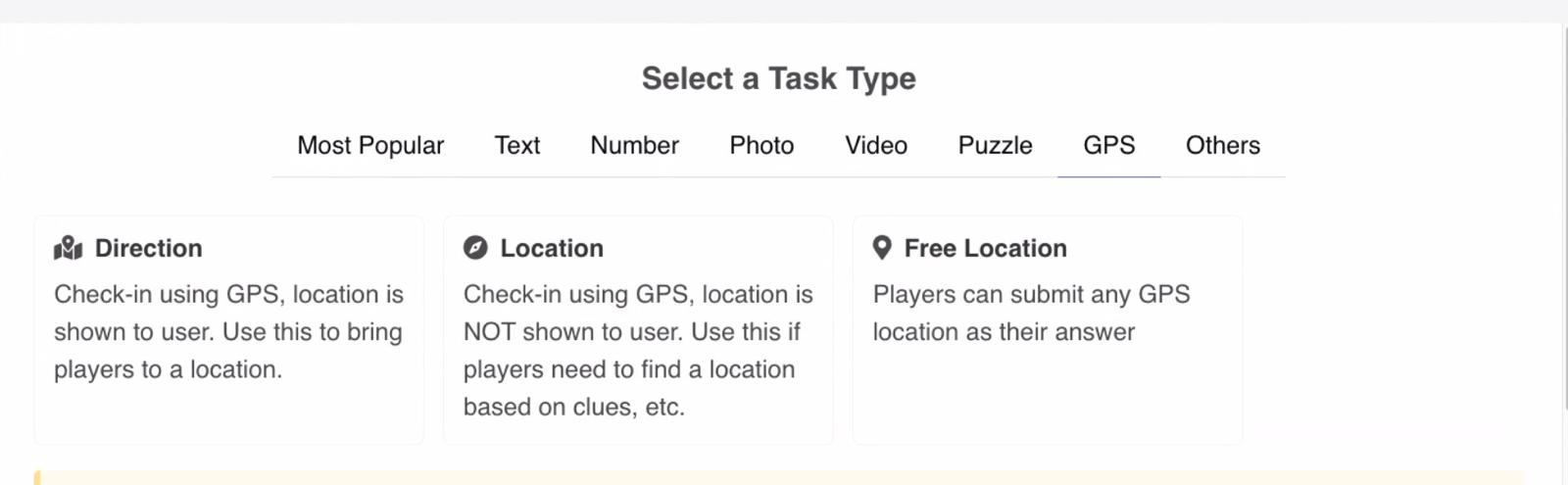
Align each challenge with a specific goal. Photo missions work for creativity and documentation. Trivia questions reinforce knowledge sharing. GPS challenges drive exploration. Video submissions encourage storytelling. Mixing challenge types keeps energy high throughout the event and ensures different personality types get their moment to shine.
For example, a scavenger hunt for employees focused on company culture might include: a photo mission asking teams to "find and photograph three items in the office that represent our company values," a trivia question about the company's founding story, a video challenge where teams act out a company value in 15 seconds, and a text-based puzzle that reveals a hidden message about the upcoming all-hands meeting. Each challenge reinforces a different aspect of culture while keeping the experience varied and engaging.
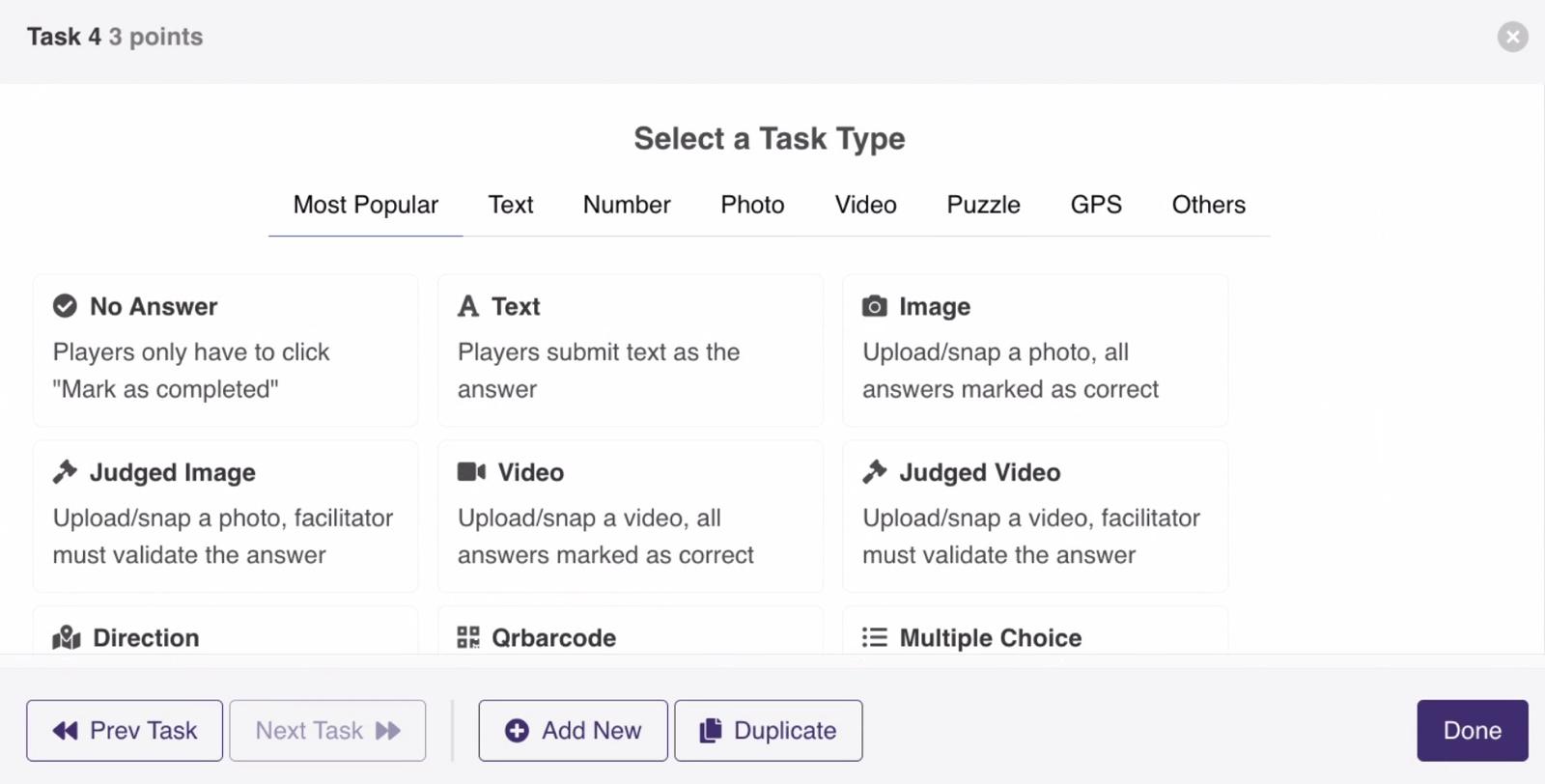
Practical note: A hunt with only text answers gets boring fast. Aim for at least three different challenge types. PlayTours offers over 30 task types including photo, video, audio, GPS, QR code, trivia, word search, jigsaw puzzles, and AI-judged creative tasks, giving you plenty of variety.
4. Set up teams and assign roles
Create balanced teams of 4-6 people. Mix departments and seniority levels so no team has an unfair advantage. Assign a team captain who ensures everyone participates and keeps the group moving through challenges. The right team composition can make or break the experience.
For example, in a company with engineering, marketing, sales, and HR departments, each team should include at least one person from each function. The engineer helps with puzzle-solving, the marketer brings creative ideas for photo challenges, the salesperson keeps the team motivated, and the HR representative ensures everyone feels included. Use the platform's random team assignment feature to avoid cliques forming naturally. For a company of 60 people, aim for 10 teams of 6, each with a mix of departments and experience levels.
Practical note: Pre-assign captains before game day and brief them on their role. A good captain keeps the team moving without dominating the experience. PlayTours allows you to assign team captains and set team sizes during game setup.
5. Create a clear rulebook and timeline
Communicate start time, end time, scoring rules, and submission guidelines clearly. Ambiguity kills the fun. Employees should know exactly what is expected of them before the game begins. A well-written rulebook prevents confusion and disputes during the game.
For example, your rulebook might state: "The game starts at 2:00 PM and ends at 3:30 PM. Each team must complete at least 8 of 12 challenges. Photo submissions must be taken during the game (no pre-existing photos). The team with the highest score at 3:30 PM wins. Bonus points are awarded for the most creative photo and the fastest completion of the trivia round. In case of a tie, the team that finished their last challenge first wins." Include a timeline showing when each chapter opens and closes.
Practical note: Send the rulebook 24 hours before the game. Include examples of good submissions so everyone knows the standard. PlayTours lets you configure game rules, instructions, and scoring parameters directly in the game builder, which are then shown to players before they start.
6. Test the game before launch
Run a pilot with a small group of colleagues to catch broken links, unclear instructions, or technical issues. Fix everything before the real event. A dry run with 3-5 people can save you from embarrassing mid-game failures that deflate the entire experience.
For example, gather a pilot team of volunteers from different departments. Ask them to play through the entire game as if they were real participants. Time how long each challenge takes. Note any instructions that confuse them. Check that GPS checkpoints register correctly. Verify that photo and video uploads work on both iPhone and Android devices. Collect their feedback and make adjustments. One common issue is that a challenge that takes the designer 30 seconds might take a first-time player 5 minutes, so calibrate your time limits accordingly.
Practical note: Test on different devices (iPhone, Android, desktop) and browsers. What works on one might break on another. Also test with different network conditions (office WiFi, mobile data) to ensure a smooth experience for everyone.
7. Facilitate the game in real time
Monitor the facilitator dashboard during the game. Send encouragement to slow teams, approve submissions that require manual judging, and keep energy high with mid-game announcements. Your role as facilitator is part coach, part referee, and part hype person. Active facilitation is what separates a good scavenger hunt from a great one.
For example, prepare 3-4 mid-game announcements before the event starts. At the 15-minute mark, send: "Team Alpha just took the lead with a perfect trivia score! Can anyone catch them?" At the 30-minute mark: "Bonus points for the next photo submission that makes us laugh!" At the 45-minute mark: "Halfway point reminder: you need at least 5 challenges completed to qualify for prizes." At the 60-minute mark: "Final stretch! The last challenge is worth double points." These announcements maintain momentum and give slower teams a boost when they need it most.
Practical note: PlayTours provides a real-time facilitator dashboard showing live scores, team progress, and pending submissions. You can send announcements to all teams or individual messages to specific teams.
fun team building activity workplace
8. Debrief and celebrate
End with a celebration session where winners are announced and the best submissions are shared with everyone. Collect feedback for future events. The debrief is just as important as the game itself for building lasting engagement and ensuring employees feel valued for their participation.
For example, gather everyone in a shared channel (Slack, Teams, or a physical meeting room) after the game. Project the top 10 photo submissions on a screen. Announce the winning team and runner-ups with specific shoutouts: "Best photo goes to Team Charlie for their creative interpretation of our company value." Share a link to a gallery of all submissions so employees can browse and react. Send a follow-up survey asking what they enjoyed and what could be improved. Use this feedback to make your next scavenger hunt even better.
Practical note: Create a shared album of all submissions. Employees love seeing their creative work appreciated by the whole company. PlayTours automatically captures all submissions in a gallery that can be shared post-event, making celebration easy.

You are ready to run your employee scavenger hunt
By following these 8 steps, you now have a complete framework for how to run a scavenger hunt for employees that engages your team, reinforces your culture, and creates memorable shared experiences. The key is preparation: define your goals, choose the right format, design varied challenges, test thoroughly, and facilitate actively.
Ready to run your employee scavenger hunt? Start with a free PlayTours template and see how easy it is to create an engaging team experience in minutes.
SOURCES:
- PlayTours game builder features reference (verified in-run)